Base64 and Unicode: Why Decoded Text Looks Wrong
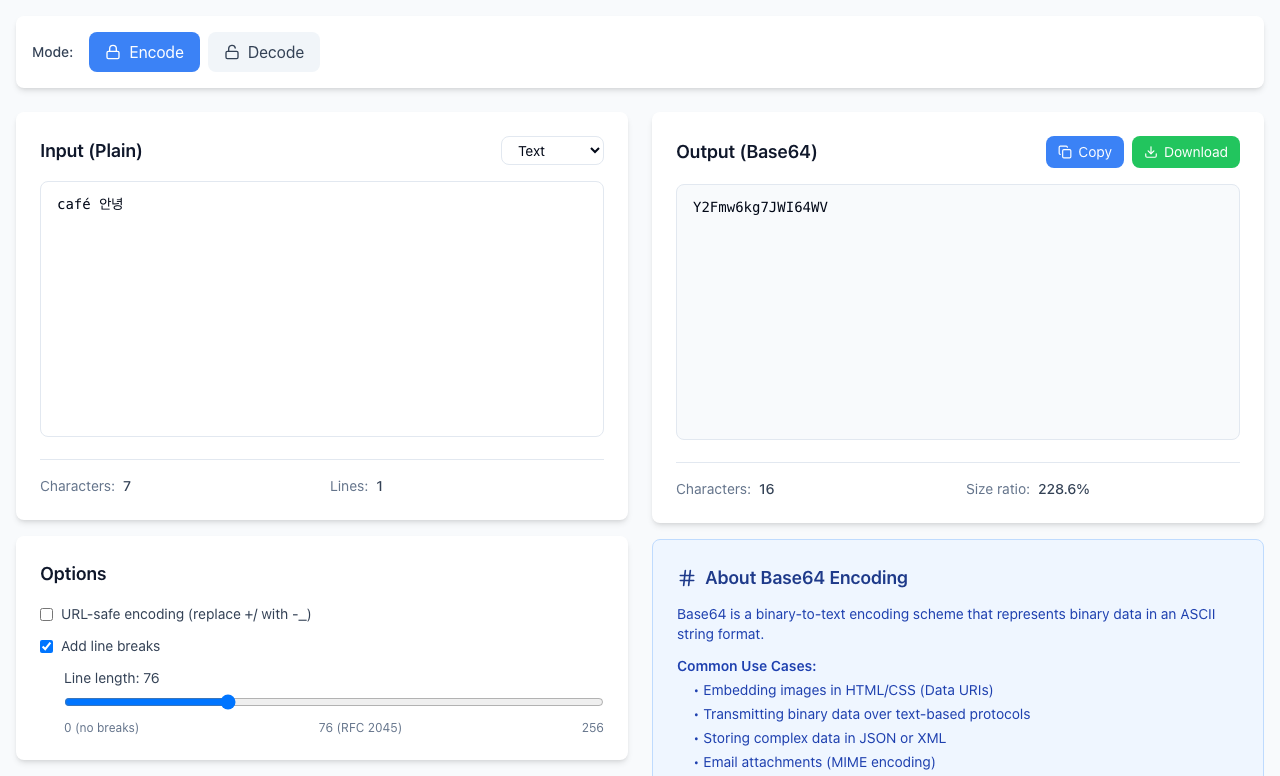
Base64 does not store letters, it stores bytes. To get readable text back, the sender and the decoder must agree on how letters become bytes. This tool always uses UTF-8, so café 안녕 encodes to Y2Fmw6kg7JWI64WV and decodes back unchanged. Base64 made with a different text encoding, or from a file, fails with URI malformed.
Test with more than plain English
- Click Encode. Leave Input (Plain) on Text.
- Type
café 안녕in the input box. Output (Base64) showsY2Fmw6kg7JWI64WV. - Click Copy, click Decode, and paste into Input (Base64). Output (Plain) shows
café 안녕again.
Always include an accented letter or a non-Latin character in your test. Plain English letters have the same bytes in almost every encoding, so a test like hello can pass even when the setup is wrong.
When the text came from a different encoding
The word café saved as old Latin-1 text is the Base64 Y2Fm6Q==. The last letter is a single byte that is not valid UTF-8. Paste that into Decode:
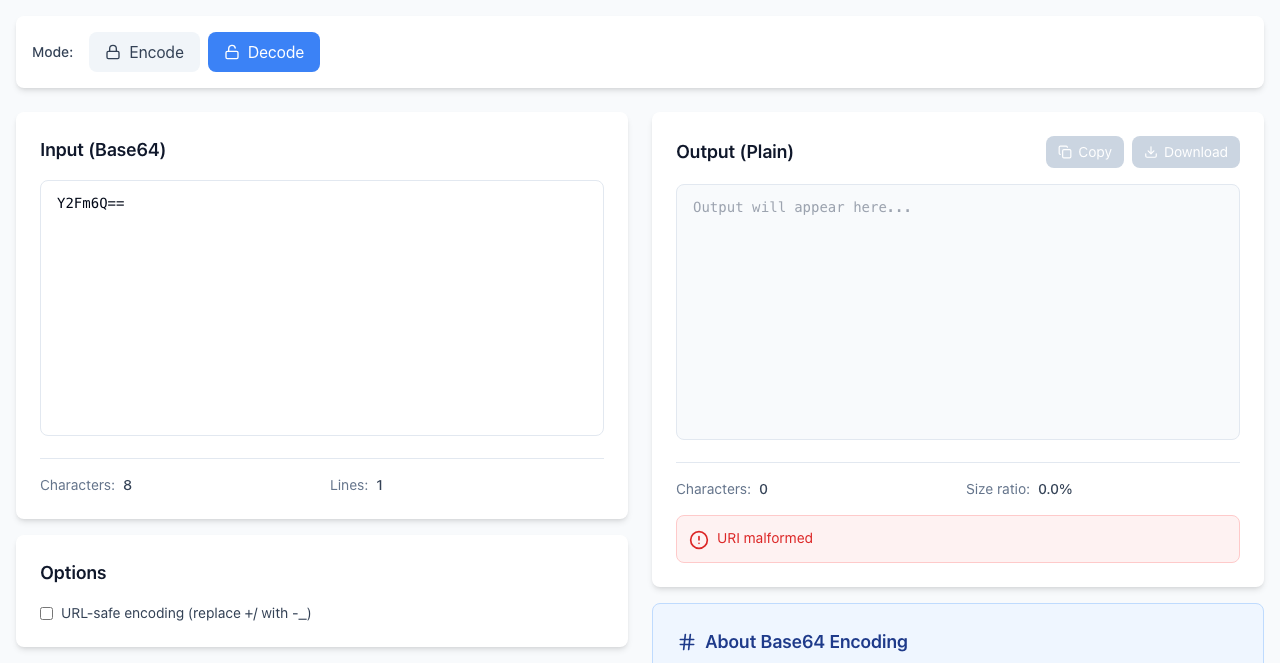
URI malformed is the tool's way of saying the bytes are not valid UTF-8 text. It does not mean the Base64 itself is damaged.
Files are not text
Base64 of an image, a PDF or a zip is made of bytes that are not text, so the text decoder gives the same URI malformed error. To work with a file, pick File in Input (Plain) when encoding, and keep the original file. See data URL vs raw Base64.
If it doesn't work
- URI malformed: the source was not UTF-8 text. Ask the sender which encoding it used, or check whether the value is a file.
- Invalid Base64 string: the text contains a character that is not part of Base64, such as a dot, an exclamation mark or a stray quote. Remove it, or see URL-safe characters and padding.
- The round trip changed a letter: compare the original and the decoded text character by character. Accents and curly quotes are the usual suspects.
- Secrets: Base64 is not encryption. Anyone can decode it, so treat an encoded password or key as carefully as the original.
Encoding and decoding happen in your browser and nothing is uploaded. Open the free Base64 Encoder.