Data URL vs Raw Base64: Which Part Should You Copy?
A data URL such as data:image/png;base64,iVBORw0… is a label plus the data. Everything before the first comma says what the data is; everything after it is the Base64. An image tag or CSS url() wants the whole thing. An API field called “Base64 content” usually wants only the part after the comma.
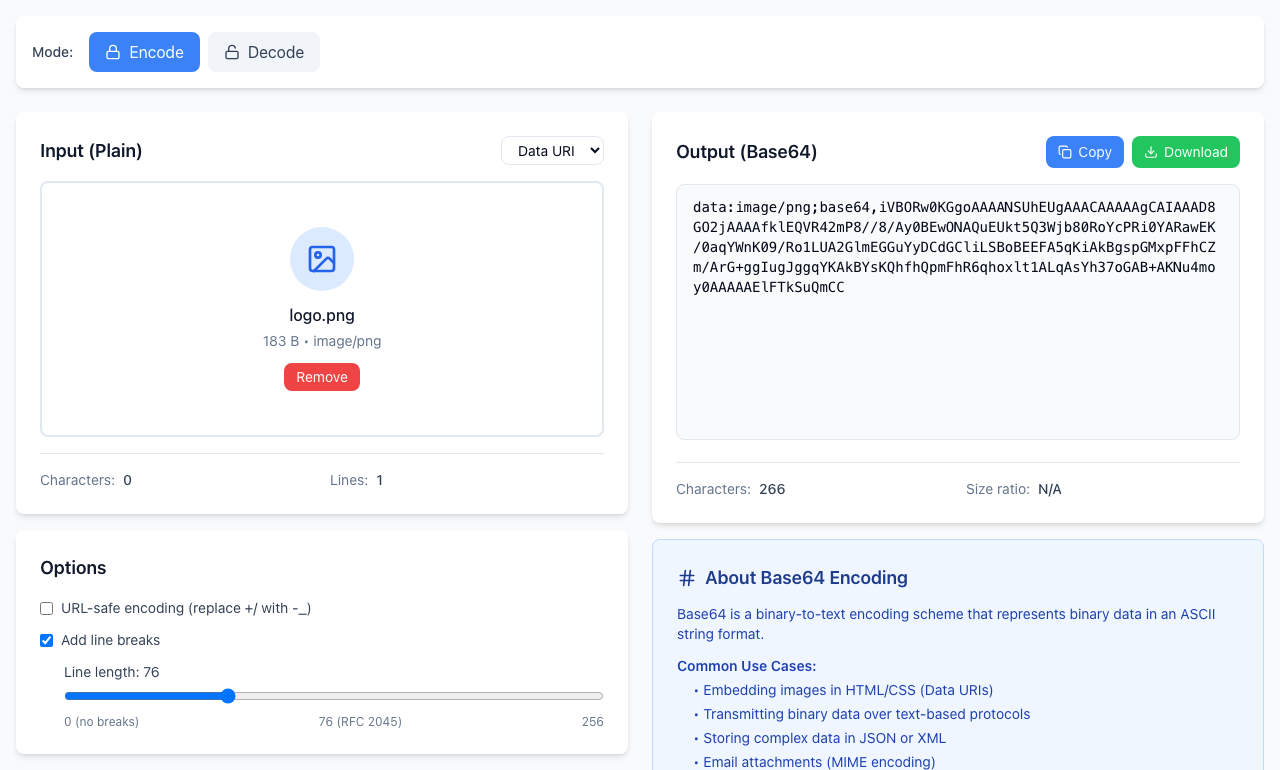
Produce the one you need
- Click Encode. In the Input (Plain) list, choose Data URI and pick a small image. The output begins
data:image/png;base64,. Click Copy for a complete data URL. - For only the payload, choose File in that list instead and pick the same image. The output is the payload alone, starting
iVBORw0KGgofor a PNG. - Look at Add line breaks under Options. It is on by default and puts a new line every 76 characters in the File output (the Data URI output is not split). Uncheck it, or set the length slider to 0 (no breaks), when the receiver wants a single line.
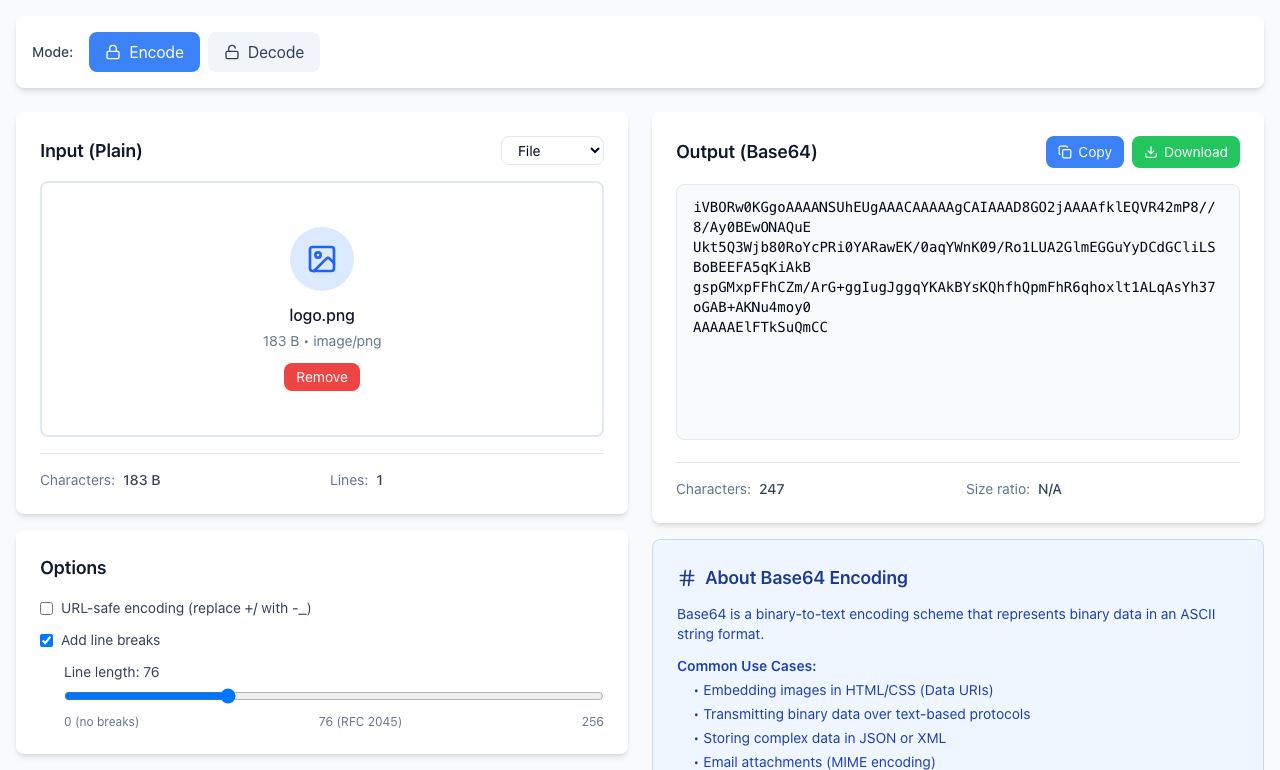
A 183-byte image became 244 characters of payload, about a third larger, plus 22 characters of data:image/png;base64, in front. Files up to 10 MB are accepted; above that the tool shows an error.
Which one goes where
- HTML
<img src>, CSSurl(): the complete data URL. - An API field for “Base64 content”: usually only the payload, but check the documentation. Some APIs state the file type in a separate field.
- An email or JSON value: follow what the receiver asks for, and keep the original file so you can encode it again.
Decoding a data URL
You can paste a text data URL such as data:text/plain;base64,aGVsbG8= into Decode and it shows hello, with a note that a data URI was detected. The note appears in the red message box but it is not an error. A data URL for an image shows URI malformed, because the decoder shows text and the picture is not text. To see the image, paste the data URL into a browser address bar.
If it doesn't work
- Invalid Base64 string when pasting a data URL: a line break inside the text, or a missing
;base64,part (such asdata:text/plain,hello), stops the data-URL check. Put it on one line. - The API rejects the value: you probably included, or left out, the
data:…;base64,part. Try the other form. - A line break in the value breaks a JSON field: uncheck Add line breaks and copy again.
- The page gets very large: embedding big images makes the document heavy. For anything much bigger than an icon, a normal image file is usually the better choice.
Encoding and decoding happen in your browser and nothing is uploaded. Open the free Base64 Encoder.