PDF Text Extracted in the Wrong Reading Order
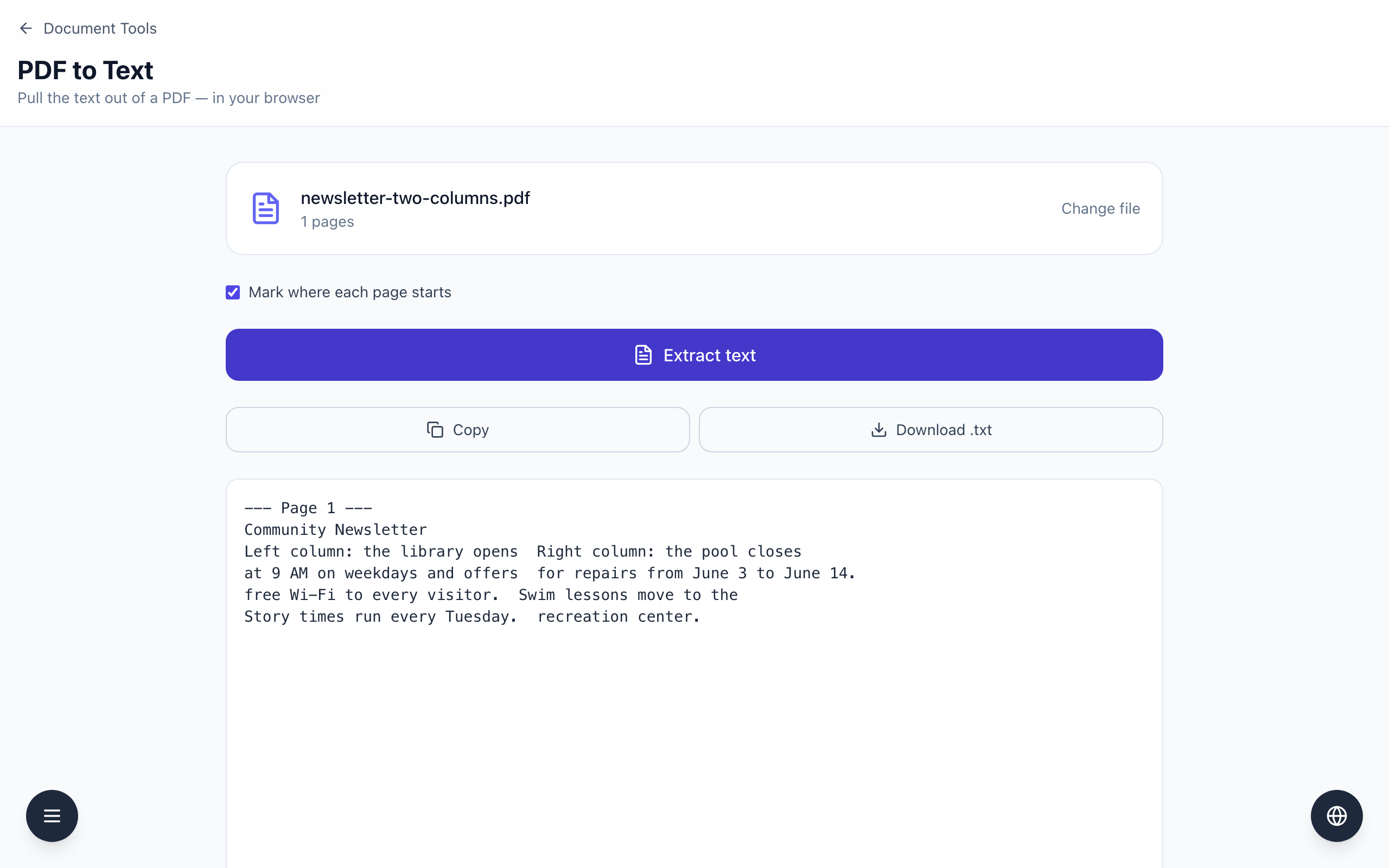
PDF to Text gives you text in the order the PDF stores it, which can differ from the order you read. On a two-column page, a line from the left column can end up on the same output line as a line from the right column.
See it on a two-column page
- The example is a generated one-page PDF,
newsletter-two-columns.pdf, with a left column about a library and a right column about a pool. In this file the two columns were written line by line, so each row of the page holds one left line and one right line. - Open PDF to Text, drop in the file and click Extract text.
- Read the output. In the test the first body line was
Left column: the library opens Right column: the pool closes, and the next wasat 9 AM on weekdays and offers for repairs from June 3 to June 14.The two sentences are mixed row by row instead of reading down one column and then the other. - Compare with the page. Read the left column alone and you can rebuild the library opens at 9 AM on weekdays and offers free Wi-Fi to every visitor. Story times run every Tuesday.
How to fix it
The tool has no column or layout setting, so the fix is manual. Copy the text into an editor and split each line at the gap, then join the left halves and the right halves separately. Do this only after checking the source page. Keep the raw output too, so you can show what the tool returned.
Not every two-column PDF behaves like this. Many store a whole column before the next one and extract in the right order. This example shows what can happen, not what always will. Tables, sidebars and captions deserve the same check, and a table does not come out as rows and columns; look at the page for those.
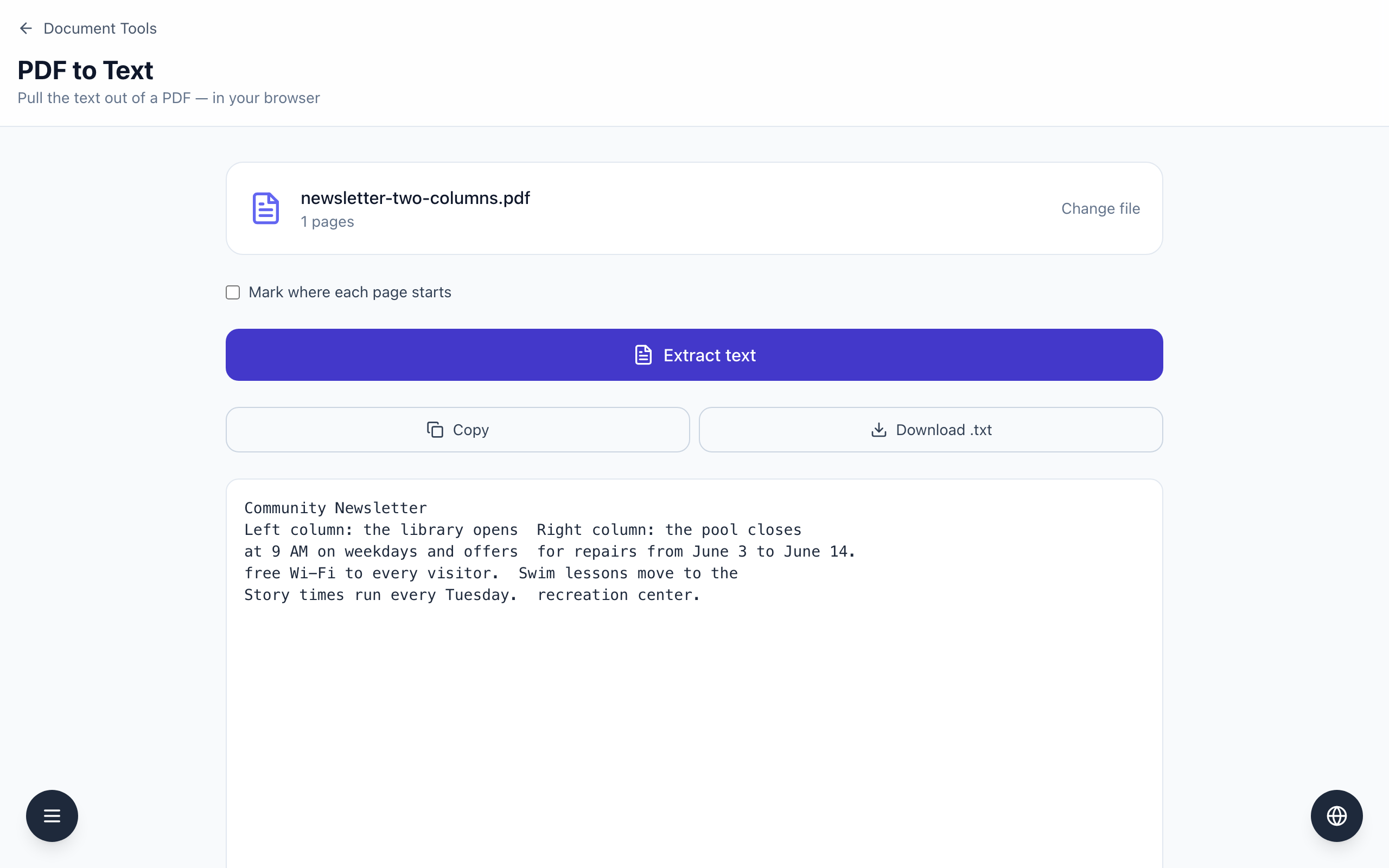
Keep Mark where each page starts checked for longer files, so you can find the page to compare. Before you quote figures or names, check them against the rendered page.
If it doesn't work
- If the text is in order but a word is split or two words are joined, check against the page; spacing comes from how the PDF positions pieces of text.
- If almost nothing comes out, the page is probably an image; see the scanned-PDF guide.
- If you see This file could not be opened as a PDF., try another copy of the file.
- If you need table data, copy the page as an image or use a tool made for tables, then verify the numbers.