Write Markdown Links People Can Understand
A Markdown link is [text people read](https://address): the words in square brackets are what appears on the page, and the address in parentheses is where the click goes. There is no space between ] and (. Use words that say where the link leads, such as “free word counter”, instead of “click here”.
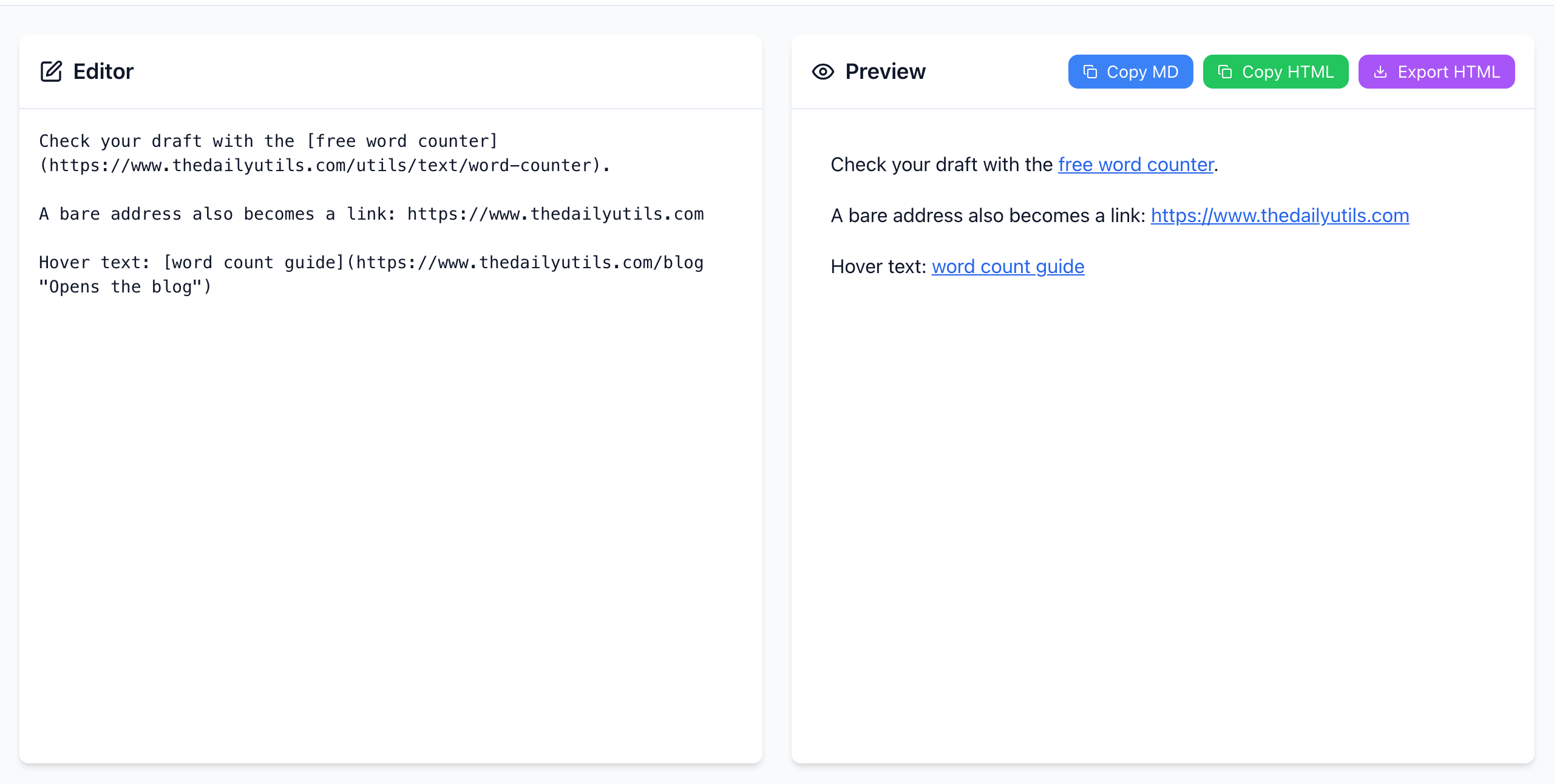
Write and check a link
- Paste this into the Editor:
Check your draft with the [free word counter](https://www.thedailyutils.com/utils/text/word-counter).
- In the Preview, only “free word counter” is blue and underlined. The address is hidden.
- Hover over the link to see the address in the corner of the browser, and click it once to make sure it opens the right page.
Shortcut: select a word in the Editor and click the link icon in the toolbar. It wraps the word as [word](url); replace url with the real address.
Two extras that work here: a bare address such as https://www.thedailyutils.com becomes a link on its own, and text in quotes after the address, like [guide](https://example.com "Opens the blog"), shows as hover text.
The two mistakes that leave brackets on the page
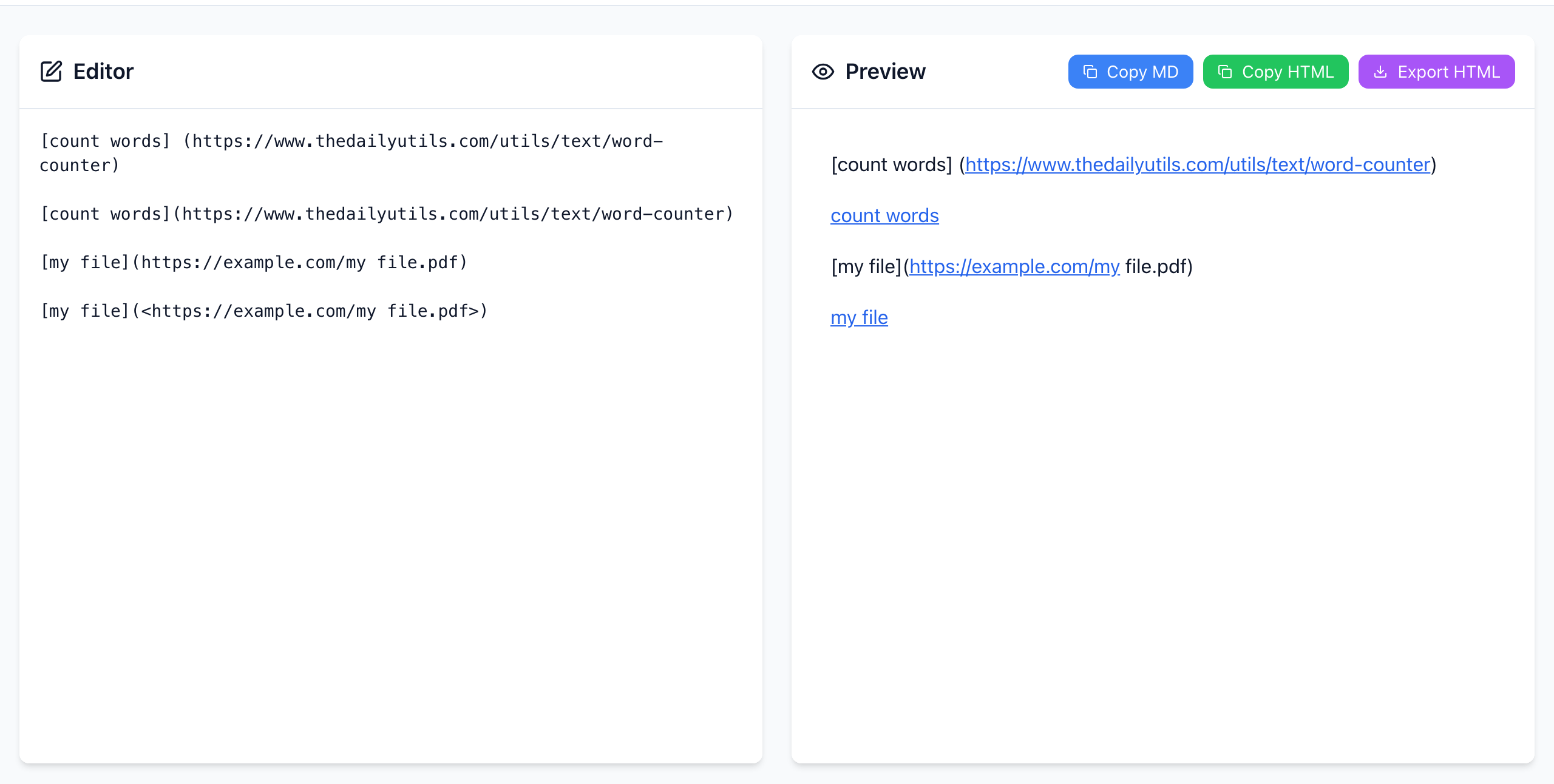
- A space between
]and(.[count words] (https://…)is not a link. The brackets stay visible and only the bare address gets linked. Delete the space. - A space inside the address.
[my file](https://example.com/my file.pdf)stops at the space. Put the address in angle brackets,[my file](<https://example.com/my file.pdf>), or replace the space with%20. Better still, copy the address from the browser bar, which already encodes it.
Addresses that contain parentheses, like Wikipedia’s Markdown_(disambiguation), work as long as the parentheses are balanced.
Text that tells people what happens
- Name the destination: “download the March report (PDF)” beats “here”.
- Keep link text unique. A page with five “read more” links is hard to scan and hard for screen-reader users.
- When you update a document, check the address as well as the words. Changing the text does not change where the link goes.
If it doesn't work
- The link opens the wrong page: a stray character, often a period or quote, ended up inside the parentheses.
- A relative link like
/blogbreaks after moving the text: it points to the site you paste into. Use the fullhttps://address for anything copied between sites. - No link at all in the destination: the destination doesn't read Markdown. See why Markdown loses formatting when you paste it.
The preview is rendered in your browser and your text is not uploaded. Open the free Markdown Editor.