Why Does Markdown Lose Formatting When You Paste It?
Markdown is plain text with symbols for formatting. If the place you paste into does not read Markdown, it shows the symbols as they are: **Important** stays two pairs of asterisks, and ## Weekly update keeps its hash marks. The fix is to paste the kind of copy that destination understands.
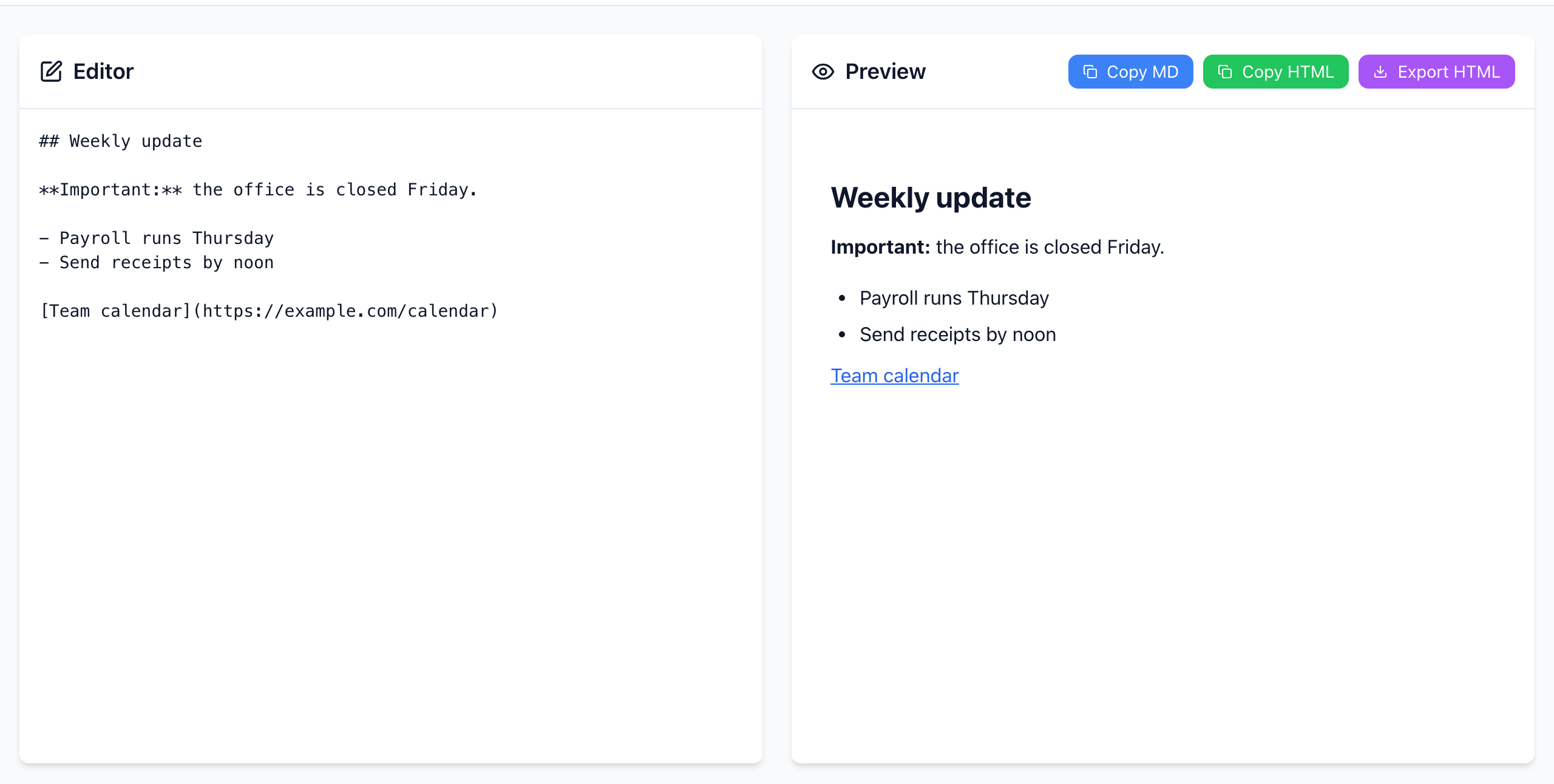
Pick the right copy for the destination
- The destination reads Markdown (GitHub, Reddit, Discord, Obsidian, many wikis and docs tools): click Copy MD and paste the source.
- The destination is a rich-text editor (Gmail, Outlook, Google Docs, Word): select the text in the Preview panel with your mouse and copy it with Ctrl+C (Cmd+C on a Mac). That copies the formatted result, so the heading, bold text, list and link come across as formatting.
- The destination wants HTML code (a website builder's HTML block, an email template): click Copy HTML. It copies HTML tags as plain text, so pasting it into Gmail or Docs shows the tags instead of formatting.
- You need a file: Export HTML downloads
document.html, which opens in any browser.
Test with a small sample first
Paste this into the Editor box. It has the four things that most often break: a heading, bold text, a list and a link.
## Weekly update

**Important:** the office is closed Friday.

- Payroll runs Thursday
- Send receipts by noon

[Team calendar](https://example.com/calendar)
Copy it into the destination the way described above. If those four survive, the long document will too.
Line breaks that disappear
Even in a Markdown editor, two common things look lost after a paste:
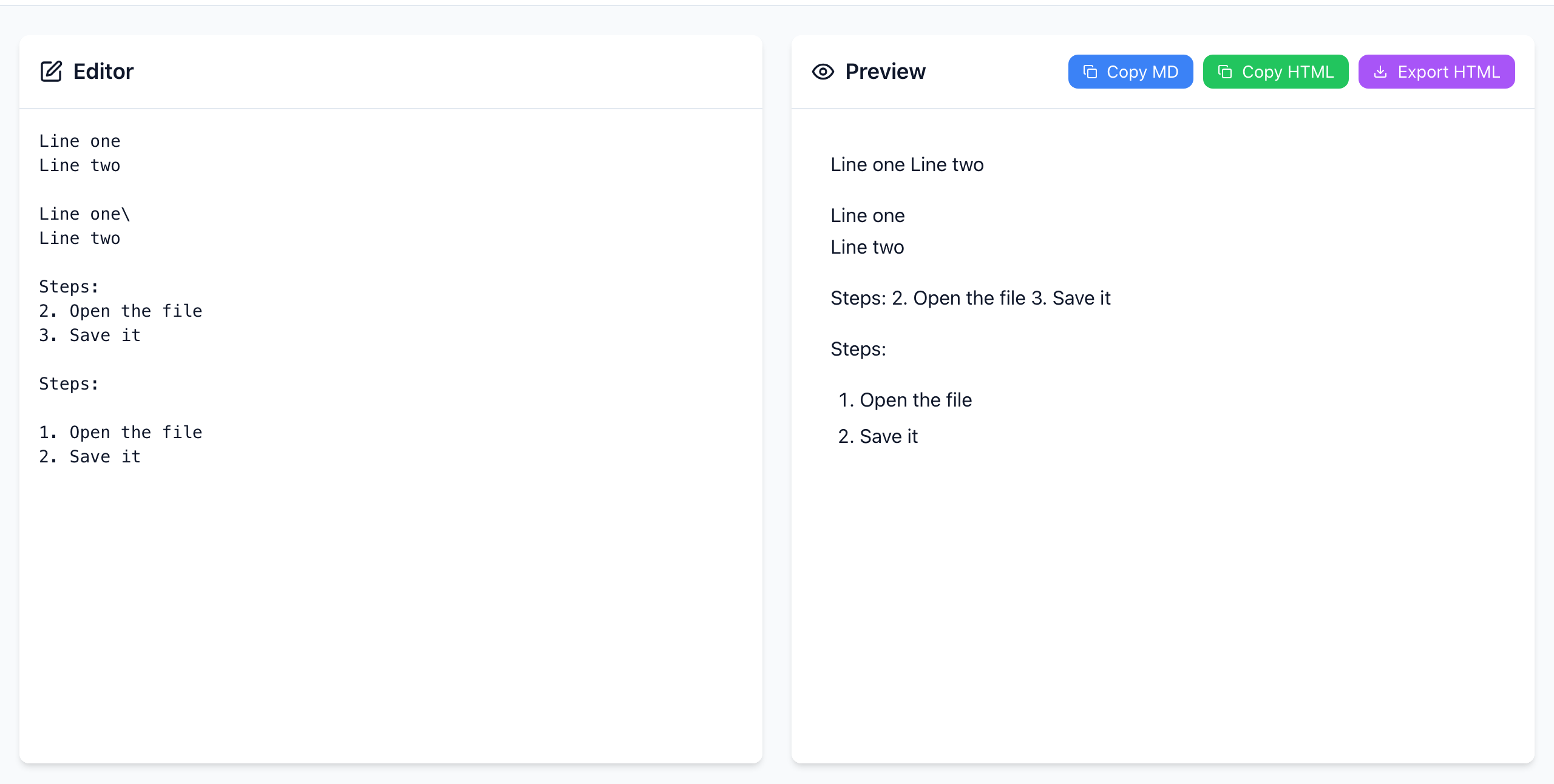
- A single Enter does not start a new line.
Line oneandLine twoon consecutive lines render asLine one Line two. Leave a blank line to start a new paragraph, or end the first line with a backslash\(or two spaces) for a line break inside the paragraph. - Numbered lists need a blank line before them. A list starting at
2.directly under a sentence is read as part of that sentence. Leave a blank line above the list. Starting at1.is the safest.
Some sites, such as GitHub comments, treat a single Enter as a line break anyway. The preview here follows the standard rule, which is what README files and most Markdown documents use.
If it doesn't work
- You see
<p>and<strong>tags: you pasted Copy HTML into a normal editor. Copy from the Preview panel instead. - Formatting looks right but links are gone: some fields, such as plain-text email or SMS, can't hold links. Write the address out in full.
- Tables collapse into lines of pipes: the destination doesn't support Markdown tables. Copy the rendered table from the Preview instead, or use the destination's own table tool.
- Converting back: keep the Markdown as your editable original. Copying from a rich-text document back to Markdown can change lists, spacing and links.
The preview is rendered in your browser and your text is not uploaded. Open the free Markdown Editor.