Fix a JSON Trailing Comma Without Changing the Data
November 10, 20263 min read
A trailing comma is a comma after the last item in an object or array, like "active": true, right before the closing }. JavaScript code often allows it, but JSON does not. Delete that one comma and the document parses again; the data does not change.
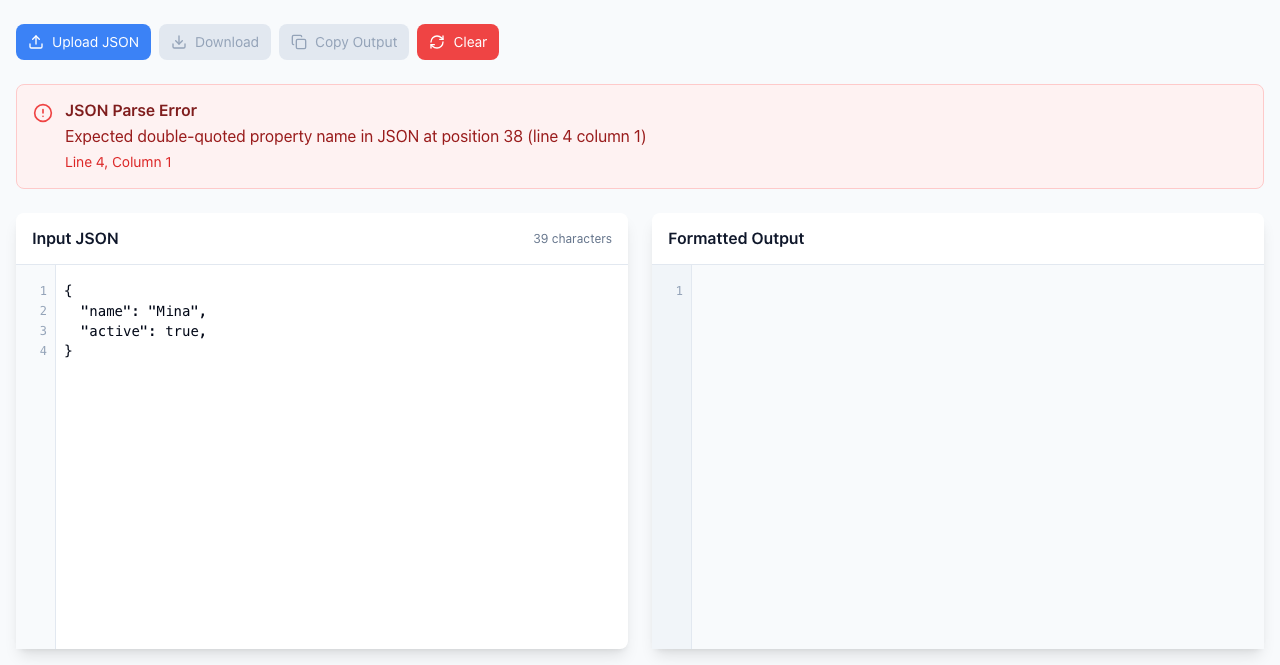
The error points at the closing brace on line 4, the first place the parser gives up. Open the JSON Formatter.
Find and fix it
Paste this into Input JSON:
{
  "name": "Mina",
  "active": true,
}
A red JSON Parse Error box appears above the editor and Formatted Output stays empty. There is no Format button: the check runs as you type.
Read the line and column at the bottom of the box. Here it says Line 4, Column 1, which is the closing }. The comma is on the line above, at the end of line 3. The parser only notices when it reaches the brace.
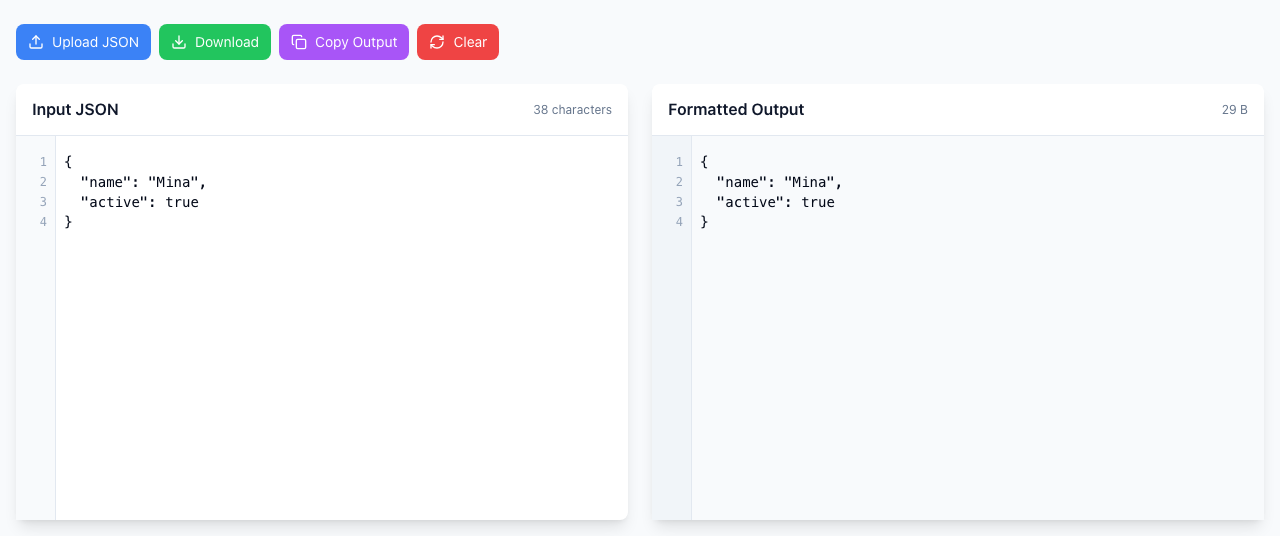
Delete the comma after true. The red box disappears and the cleaned-up JSON appears under Formatted Output.
After deleting the comma, the error is gone and the output panel fills in.
Keep the comma between items ("name": "Mina",). Only the comma directly before a closing } or ] has to go.
Arrays work the same way
[1,2,3,] is invalid for the same reason. In the Chrome version used for these screenshots the message for an array is shorter: Unexpected token ']' with a short quote of the text around it and no line or column. In that case, look at the end of the text it quotes and find the comma just before the ].
Check the data afterwards
Removing the comma only changes punctuation. true stays true and numbers stay numbers, so compare the Formatted Output with what you expected.
If you edit a config file, keep a copy of the original before you paste the corrected version back.
A different error appears after you remove the comma: the first error was hiding the next one. The tool reports only one problem at a time, so fix them one by one.
The line number looks wrong: as above, it is often the line after the real mistake.
The message wording differs from the screenshot: error text comes from your browser and varies between Chrome, Firefox and Safari. The mistake it points at is the same.
The commas are inside a JavaScript file: only copy the JSON part. Code around it (const x =, a trailing ;) is not JSON.