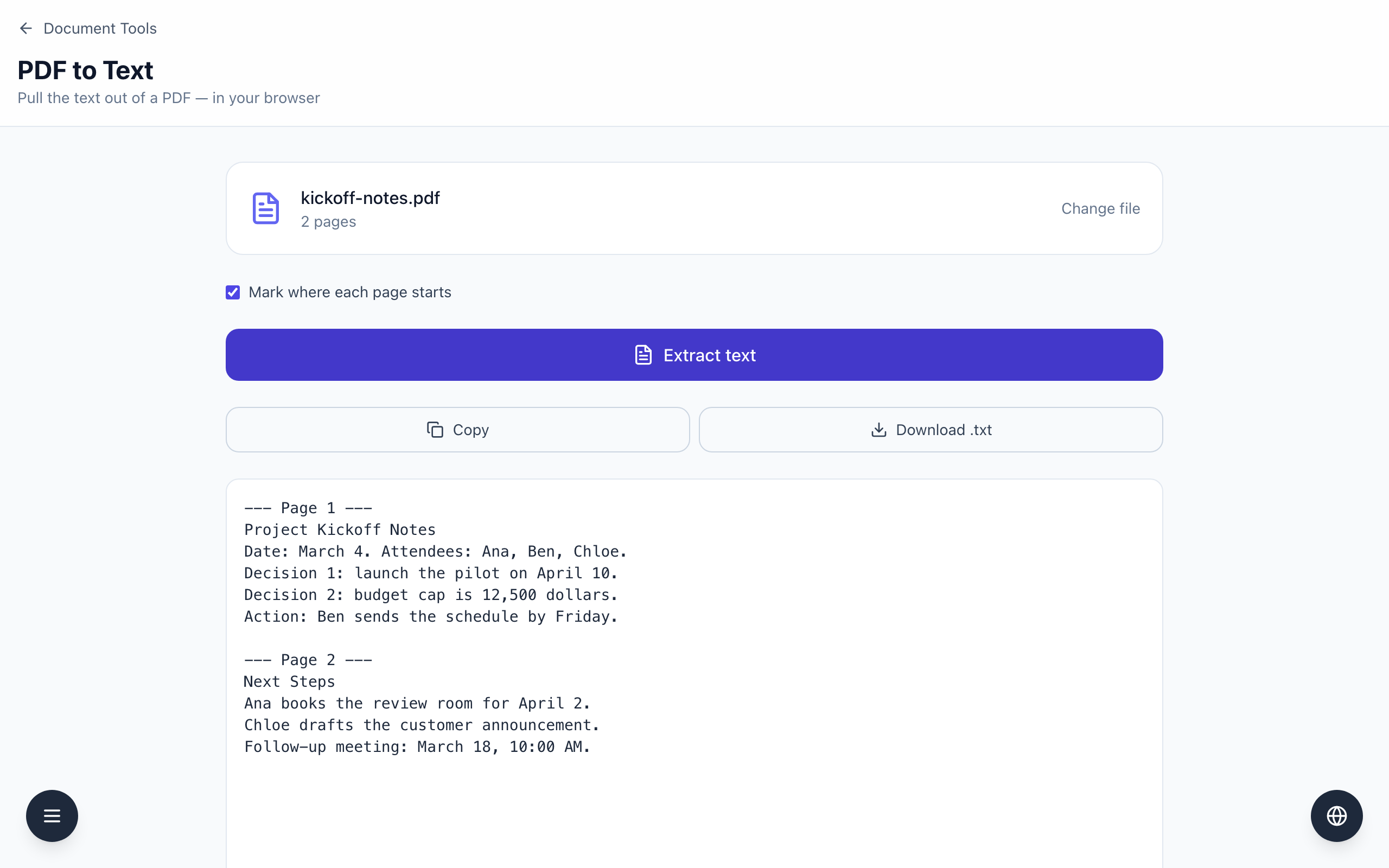
To get text out of a PDF that has a text layer, open PDF to Text, drop in the file, click Extract text, then use Copy or Download .txt. By default the result has a --- Page 1 --- style line before each page.
Extract a 2-page notes file
Open PDF to Text and drop in your PDF. The example is a generated 2-page file, kickoff-notes.pdf. The card shows its name and 2 pages.
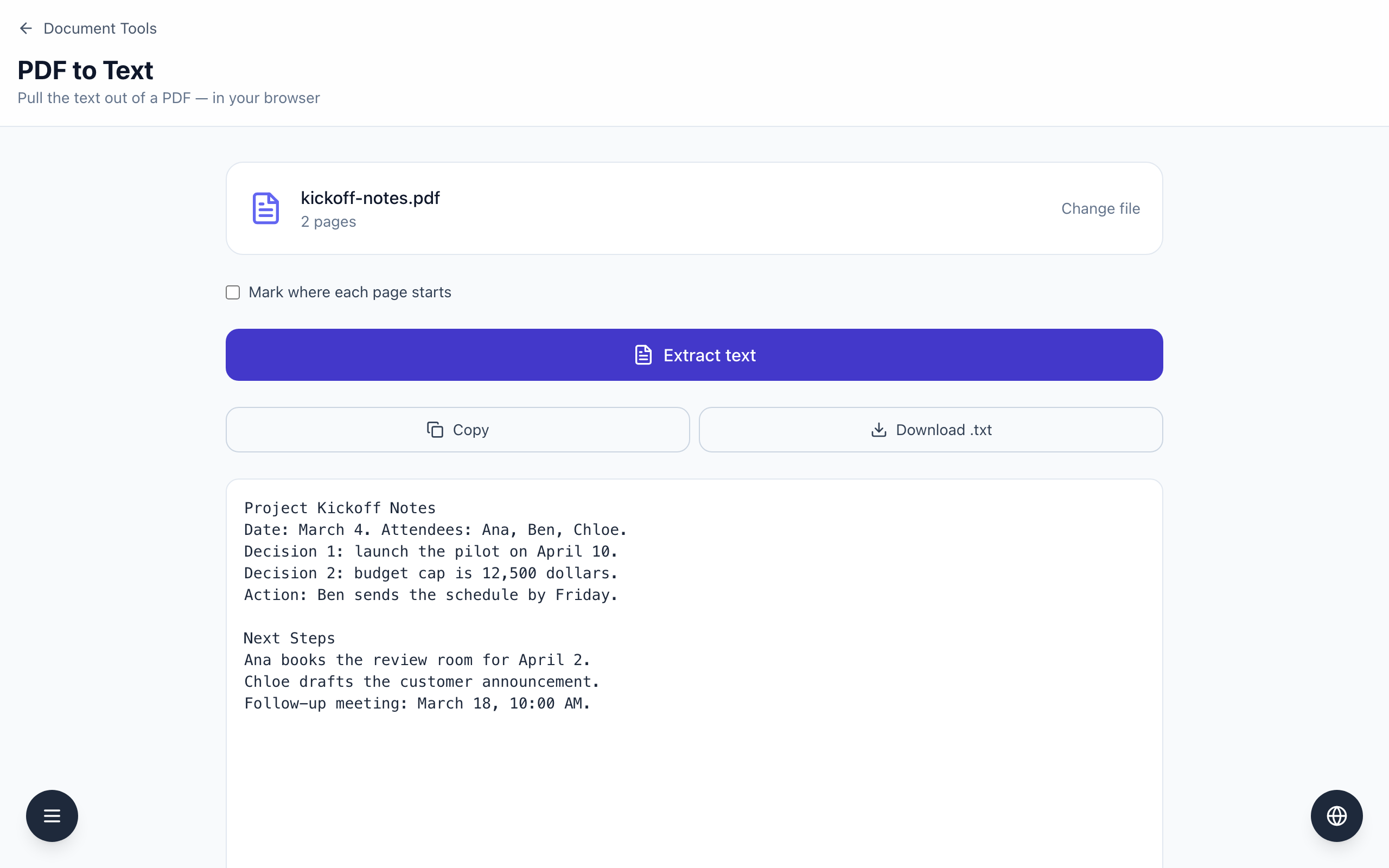
Leave Mark where each page starts checked if you want to trace a passage back to its page. Uncheck it for continuous text.
Click Extract text. The text appears in a box below the buttons. In the test it began --- Page 1 ---, then Project Kickoff Notes and four lines of notes, then --- Page 2 --- and Next Steps.
Click Copy to put the text on your clipboard (the button briefly reads Copied), or Download .txt to save kickoff-notes.txt.
Compare a few lines with the PDF: names, dates and amounts such as 12,500 dollars and March 18, 10:00 AM.
What to check before you paste it elsewhere
The output is plain text, not the page design. Fonts, columns, tables and images are not kept. With markers off, the pages run together with only a blank line between them, so you lose the page boundaries. Keep the markers on when you need to cite a page, and delete them afterwards if the destination should not have them.
The tool says your files never leave your device. Still keep the original PDF; do not treat extracted wording as verified when accuracy matters.
If it doesn't work
If you see This file could not be opened as a PDF., the file may be damaged or not a PDF. Try opening it in a PDF viewer first.
If a red note says Almost no text was found, the pages are probably images. See the scanned-PDF guide linked on the tool page.
If the lines look jumbled, the file may use columns; check the page and read the reading-order guide.
If Copy does nothing, your browser may block clipboard access; use Download .txt instead.