A space can appear as %20 in a URL component or as + in form-style query encoding. A literal plus sign in form data is encoded as %2B, so it can be distinguished from a space.
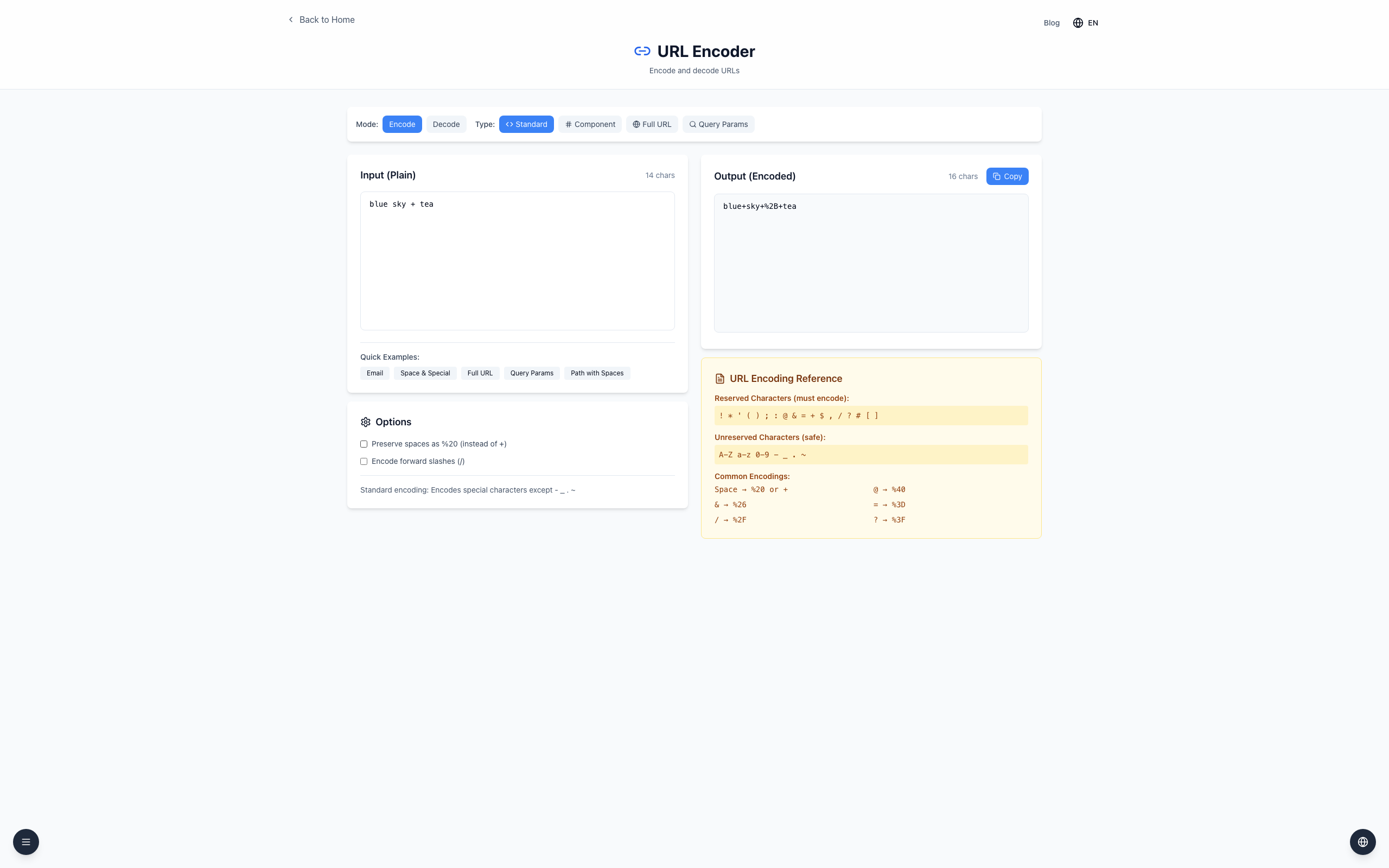
Enter blue sky + tea in Input. With Preserve spaces as %20 (instead of +) unchecked, Output shows blue+sky+%2B+tea.
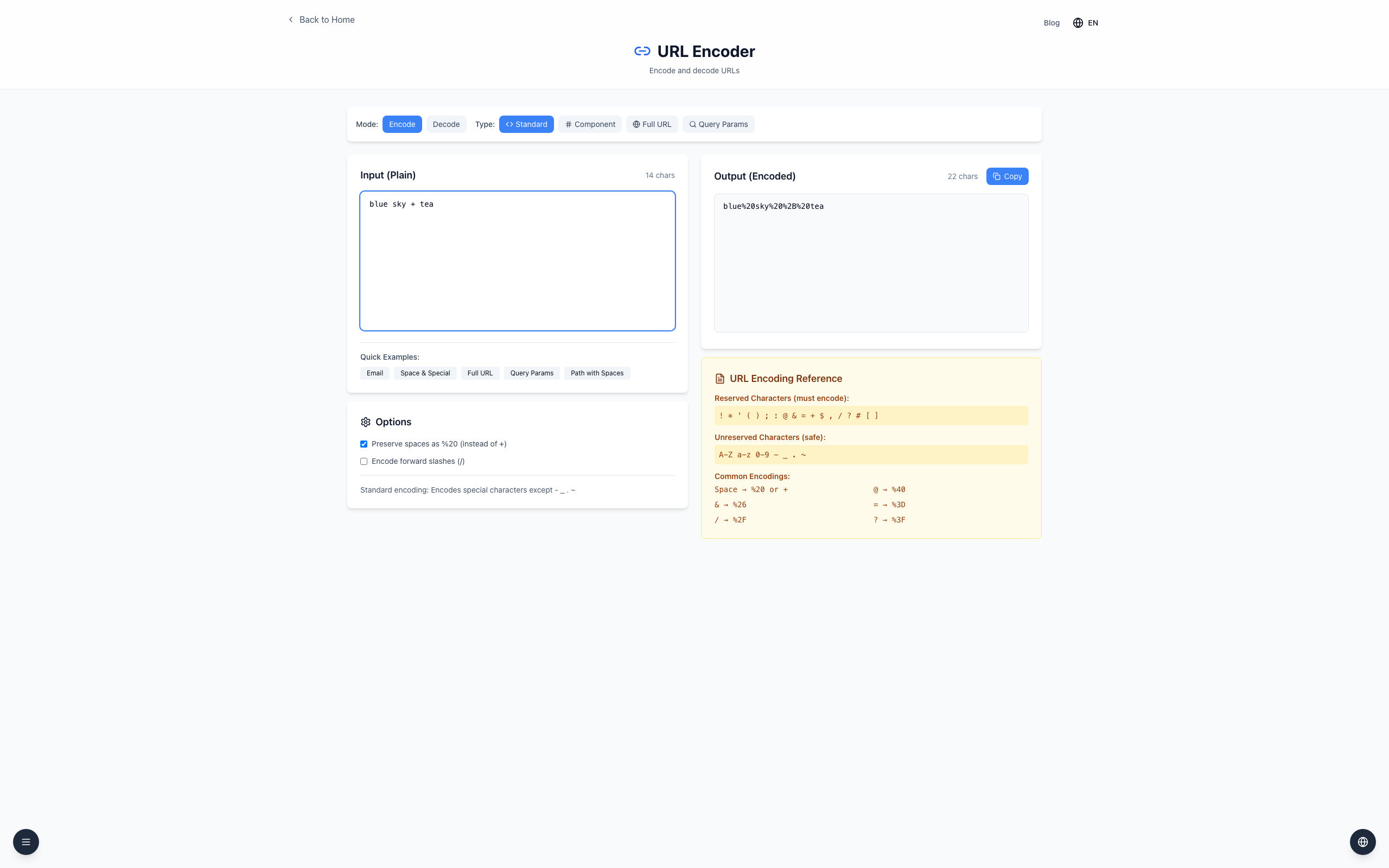
Check Preserve spaces as %20 (instead of +). The output changes to blue%20sky%20%2B%20tea.
Input: blue sky + tea
Standard: blue+sky+%2B+tea
Component: blue%20sky%20%2B%20tea
In form-style query decoding, + represents a space. In a general URL component, a plus can be literal data. Follow the receiving system's format and encode each value before joining a URL.
If it doesn't work
If a literal plus becomes a space, check whether it was encoded as %2B before sending.
Component uses %20 for spaces and decodes + as a literal plus; Standard with the option unchecked converts + to a space.
Don't replace every plus in an entire URL: its meaning depends on the component and the receiver.