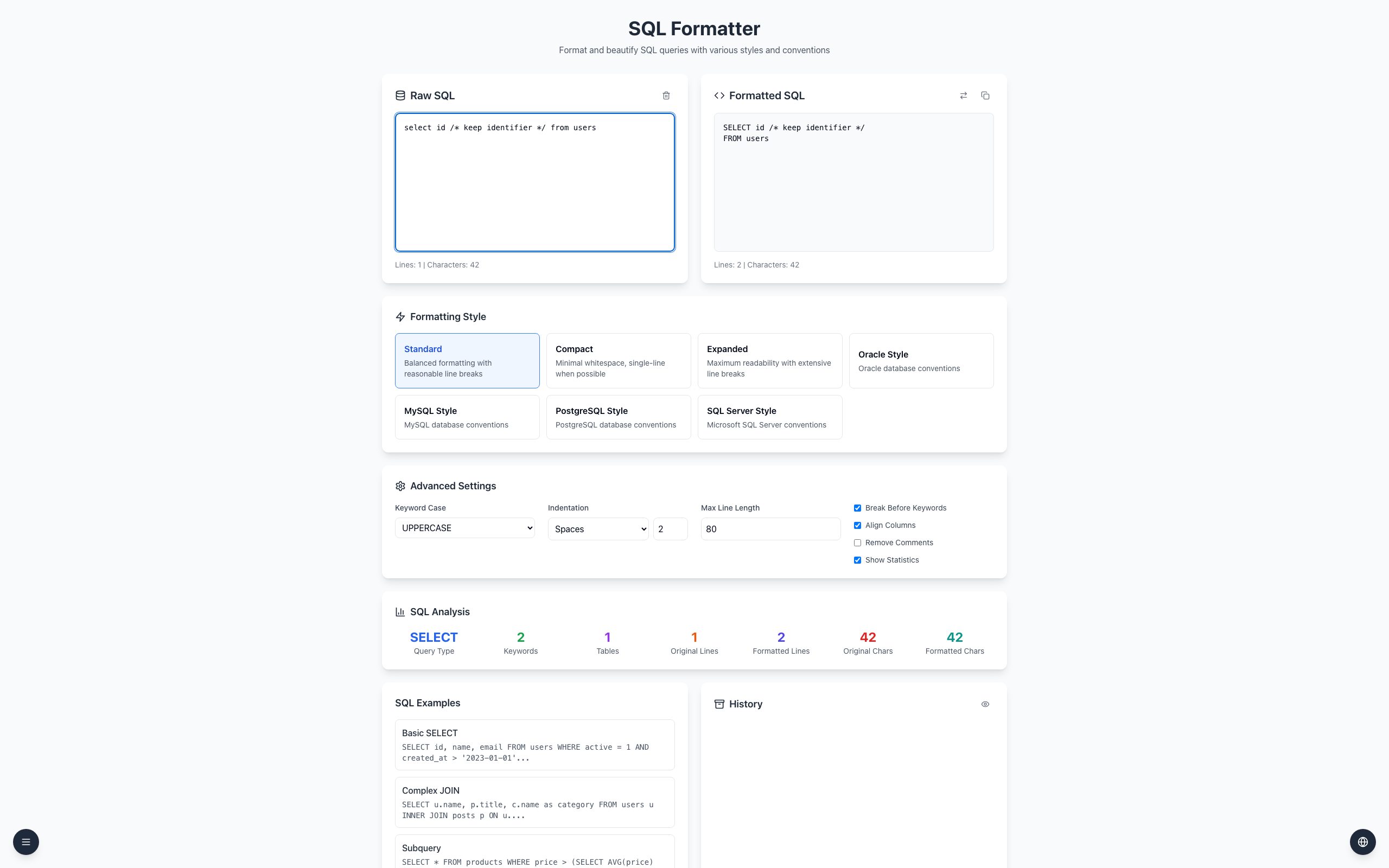
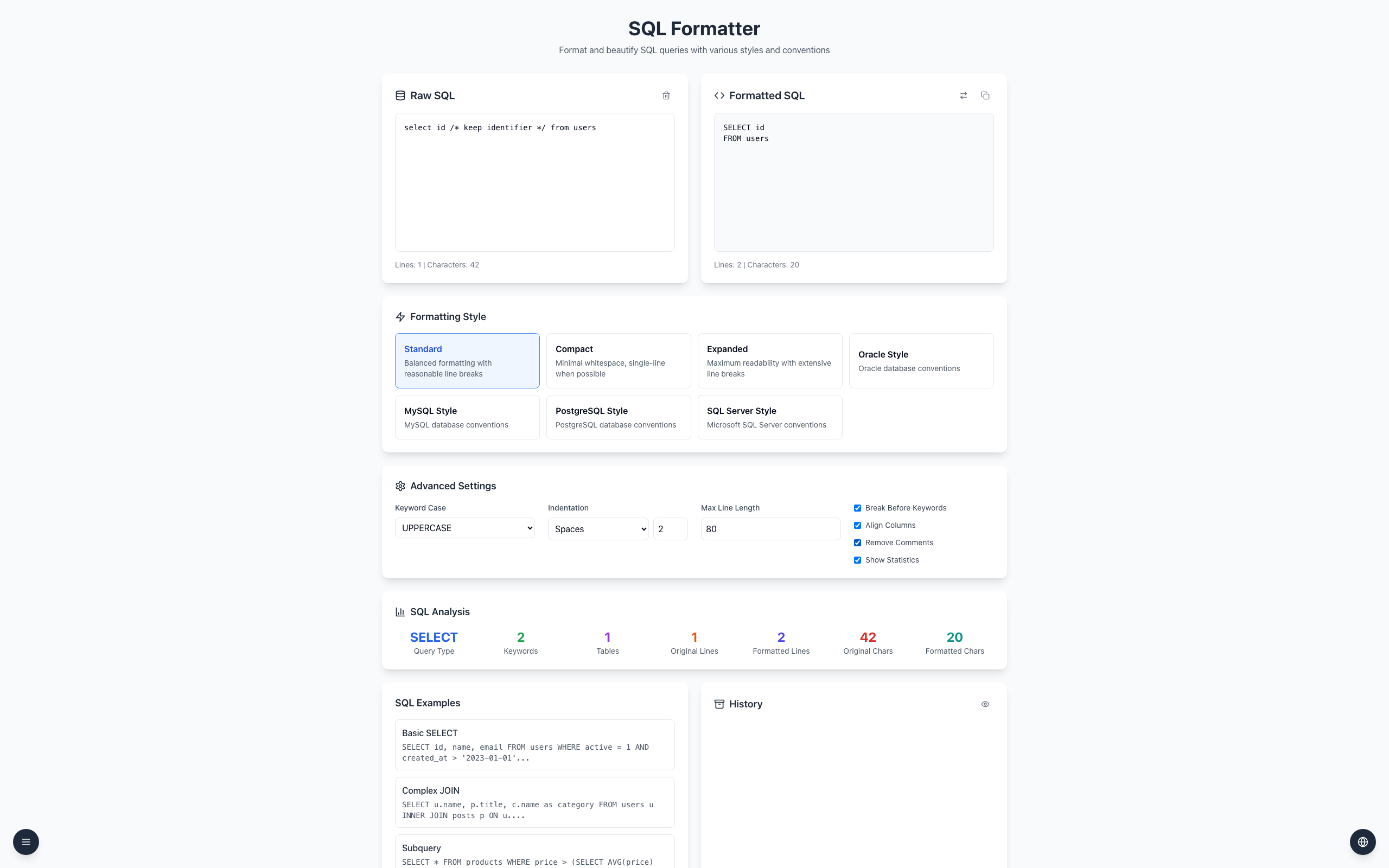
Leave Remove Comments unchecked and the SQL Formatter keeps your comments in the output. Check the result anyway: comments and database-specific hints can affect how a query is read or run.
Keep a comment
Open the SQL Formatter, select Standard, and make sure Remove Comments in Advanced Settings is unchecked.
Paste select id /* keep identifier */ from users into Raw SQL.
Formatted SQL shows SELECT id /* keep identifier */ on the first line and FROM users on the second.
Check Remove Comments to compare. The output becomes SELECT id / FROM users.
Remove Comments off:
SELECT id /* keep identifier */
FROM users

Remove Comments on:
SELECT id
FROM users
A -- line comment runs to the end of its line; a /* ... */ block comment ends at its closing marker. If a line break moves, a -- comment can swallow SQL that should run. Keep a copy of the original, especially when it contains optimizer hints.
If it doesn't work
If a comment disappears, uncheck Remove Comments; the output updates from the same input.
If a line comment covers unexpected SQL, check the line break after it before running the query.
Test vendor-specific hints in the target database; a formatter cannot guarantee every extension survives unchanged.