Replace a Whole Word Without Changing Longer Words
Turn on Whole Word before you click Replace All. Then searching for cat changes the standalone word but leaves catalog alone. Without it, every “cat” inside a longer word is replaced too.
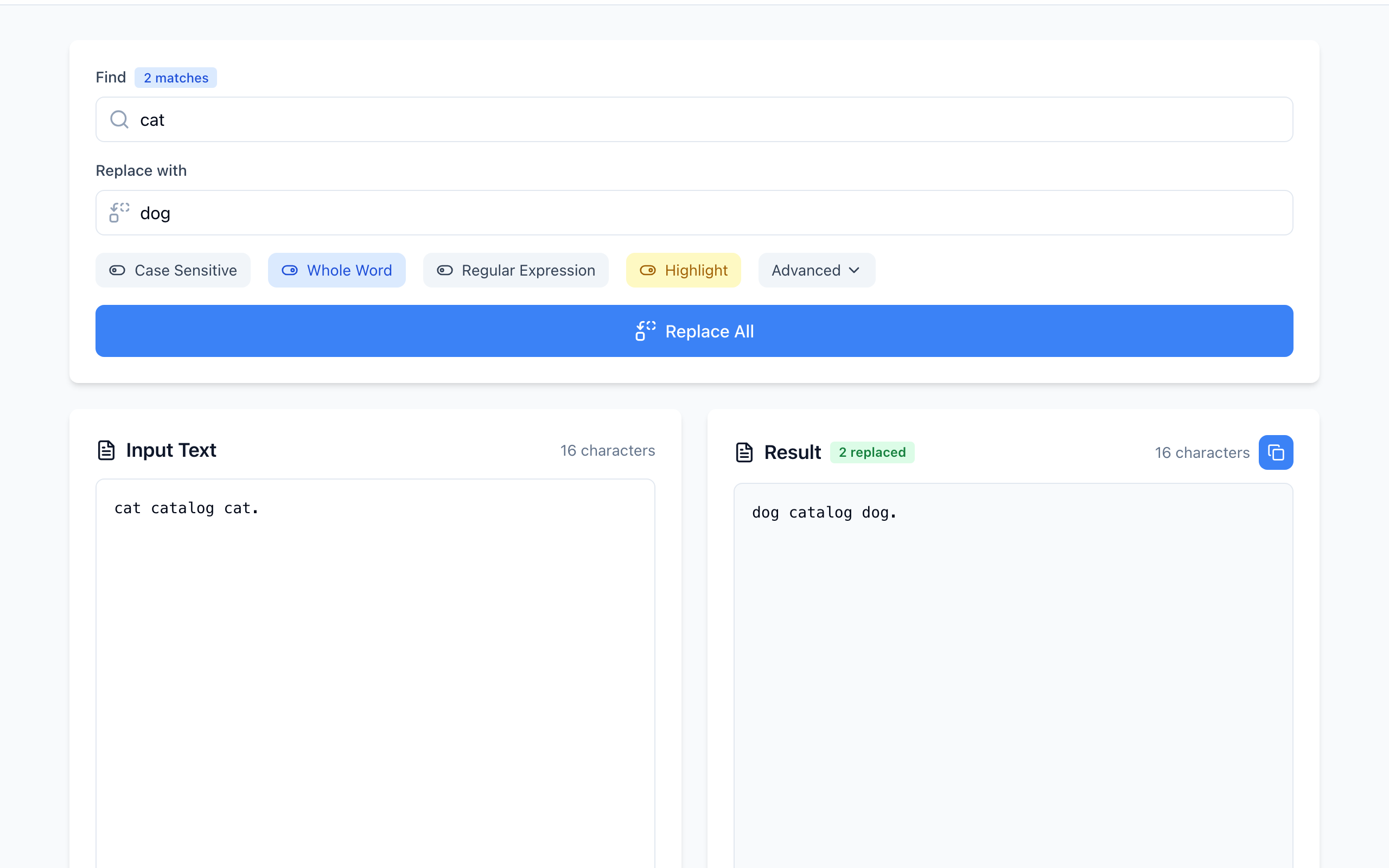
catalog untouched. Open Find & Replace.Step by step
- Paste this sample into Input Text:
cat catalog cat. - Type
catin Find anddogin Replace with. The badge shows 3 matches. - Click Whole Word so it turns blue. The badge drops to 2 matches.
- Click Replace All. The Result shows
dog catalog dog.and 2 replaced.
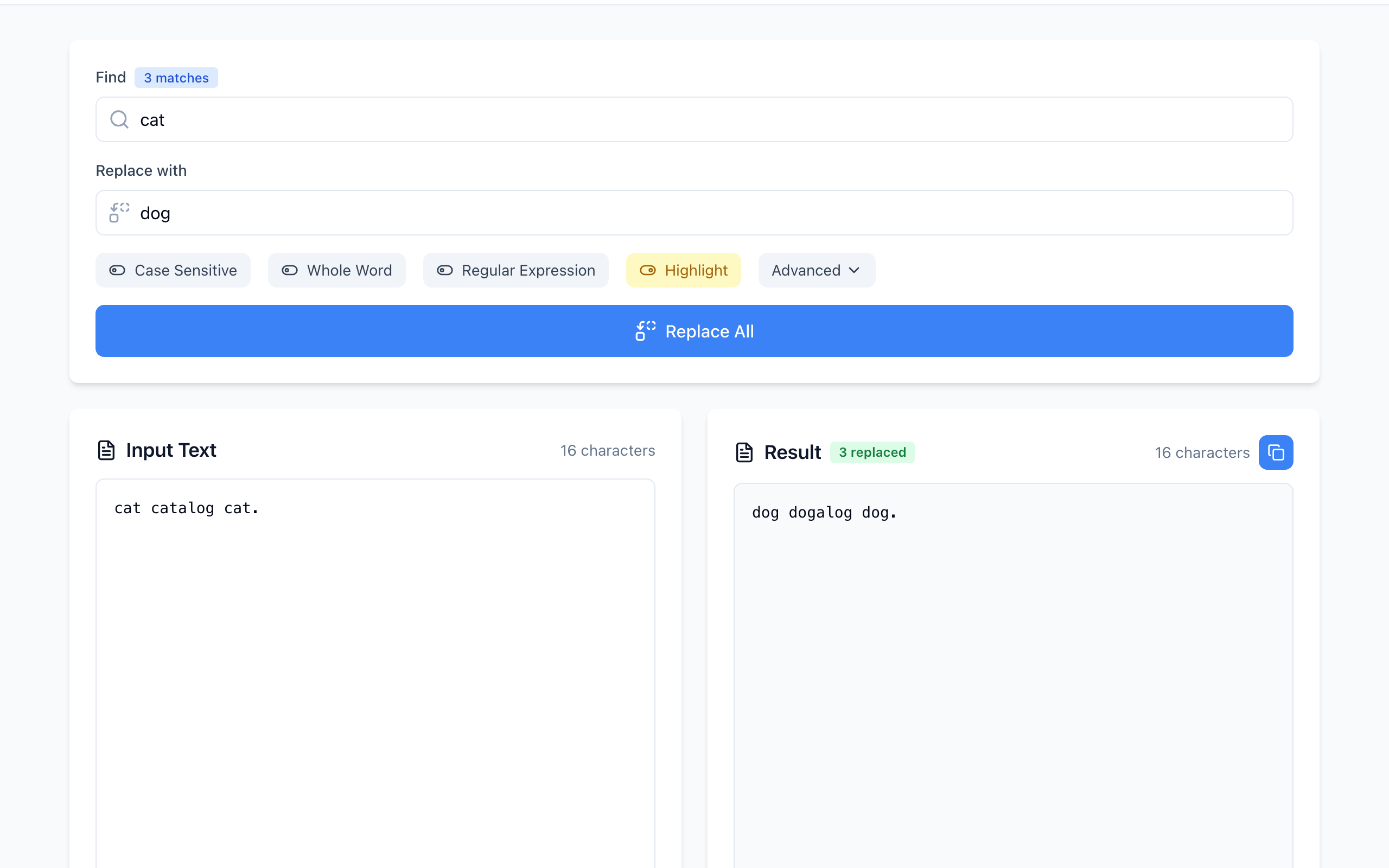
catalog became dogalog.Check the match count before replacing
The number next to Find updates as you type. Compare it with how many times you expect the word to appear. A count that is higher than expected usually means it is matching inside other words.
Matching ignores capitalization by default, so The Cat sat. also changes to The dog sat.. Click Case Sensitive if Cat should stay. The replacement is inserted exactly as you typed it; the tool does not copy the original capitalization.
Where whole-word matching stops working
Whole Word wraps your search in regex word boundaries (\b). A boundary sits between a letter, digit or underscore and anything else. That works for plain English words, but:
- Hyphens count as a boundary. Searching
rewith Whole Word matches the “re” inre-use. - Accented letters are not treated as letters. Searching
caféincafé cafésmisses the standalone word and matches insidecafés. For such text, check every highlighted match or use a narrower phrase. - Whole Word is ignored when Regular Expression is on. Add
\bto your pattern yourself.
If it doesn't work
- 0 matches: check for a trailing space in the Find box.
- Too many replacements: Whole Word was off, or the word appears inside hyphenated terms.
- Want to undo: keep the original. Replacing
dogback withcatwould also change any “dog” that was already in the text.
The text stays in your browser. Open the free Find & Replace tool.