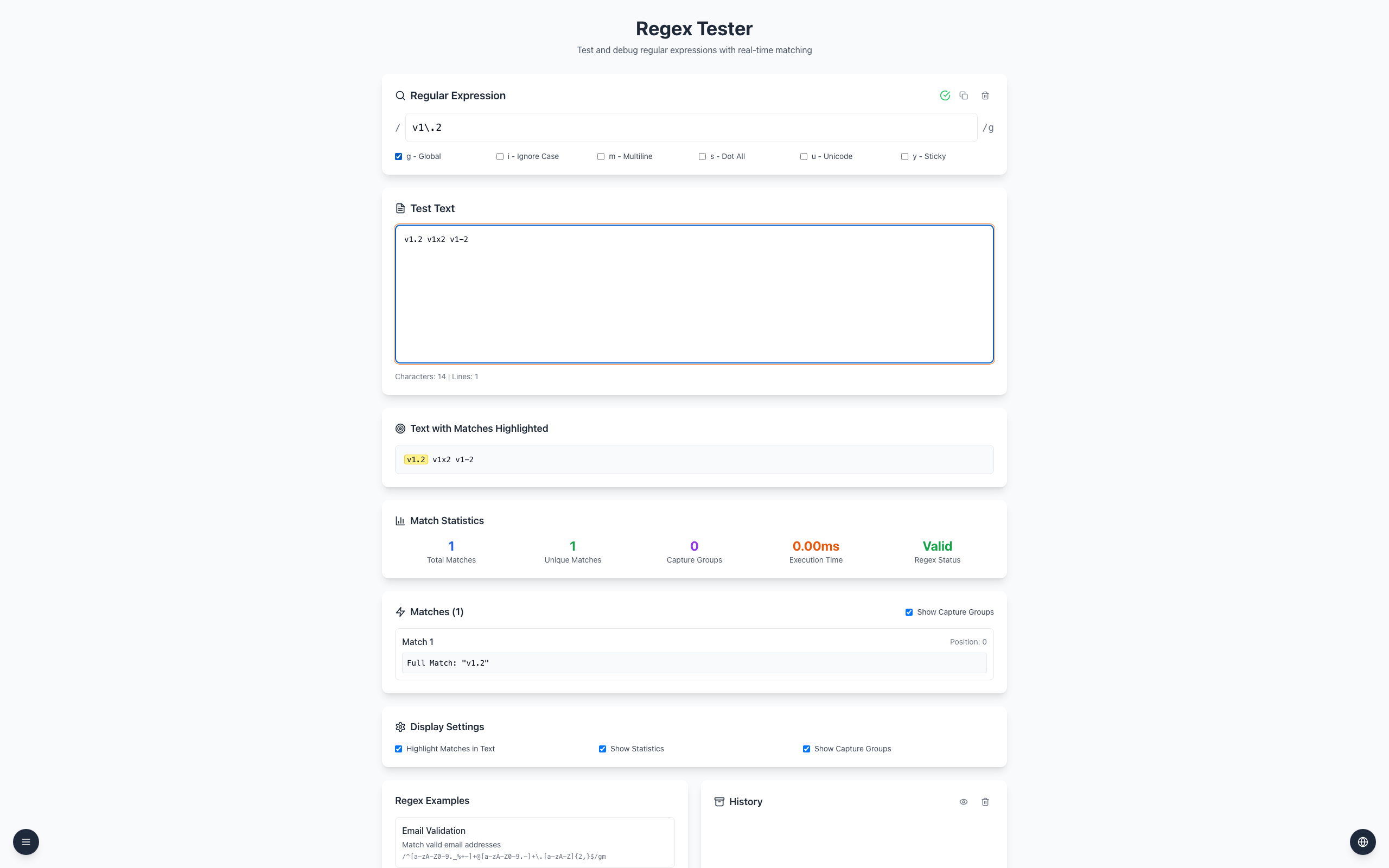
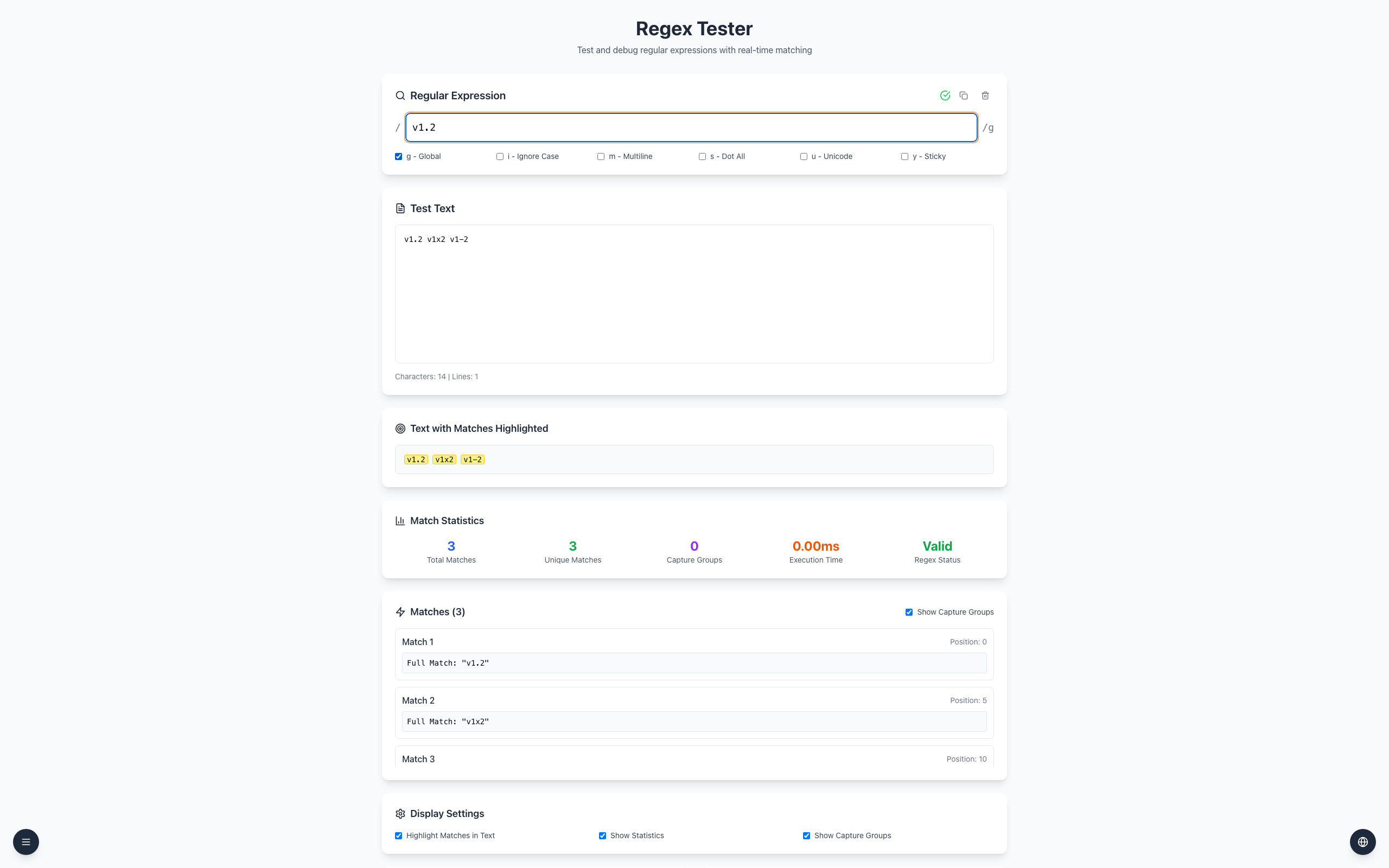
A dot in a regular expression matches a character; \. matches a literal dot. On v1.2 v1x2 v1-2, the pattern v1\.2 matches only v1.2.
Open the Regex Tester. Enter v1\.2 in the pattern field.
Leave g - Global checked and enter v1.2 v1x2 v1-2 in the test text. The literal version is highlighted.
Remove the backslash, making the pattern v1.2. Now the dot also matches x and - in the other two examples.
Pattern: v1\.2
Text: v1.2 v1x2 v1-2
Match: v1.2
Other metacharacters include + and [. Their meaning depends on position; escape them when you need their literal meaning. The tester uses JavaScript regex syntax. A programming-language string may require another layer of escaping.
If it doesn't work
Enter the pattern without / delimiters in the tester.
Check whether the backslash survived copying and test both wanted and unwanted examples.
If you only need literal replacement, use a find-and-replace tool with regex disabled.