Check Page Counts Before and After Merging PDFs
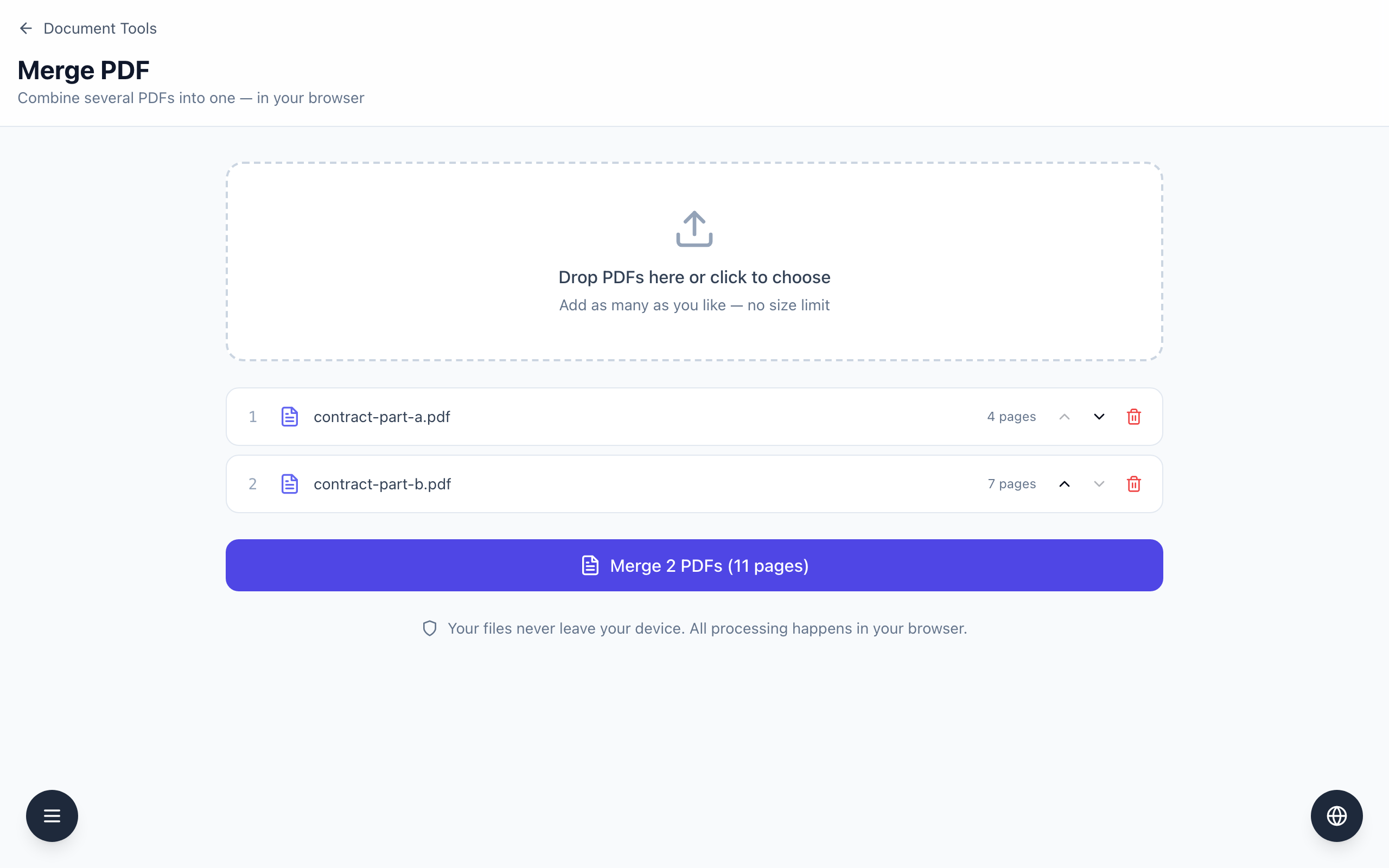
Merge PDF shows the page count of every file you add, and the button adds them up: 4 pages plus 7 pages reads Merge 2 PDFs (11 pages). After the download, open merged.pdf and check that it has the same 11 pages.
Compare the total before and after
- Open Merge PDF and choose your files. The example is
contract-part-a.pdf(4 pages) andcontract-part-b.pdf(7 pages), both generated for this test. - Read each row. It shows the number, the file name and a label such as 4 pages.
- Read the button: Merge 2 PDFs (11 pages). The number in brackets is the sum of the rows. Write it down.
- Click the button. The browser downloads
merged.pdf. - Open
merged.pdfin a PDF viewer and look at its page count. In the test it was 11, with Part A pages 1 to 4 followed by Part B pages 1 to 7.
Use the total to catch a wrong file
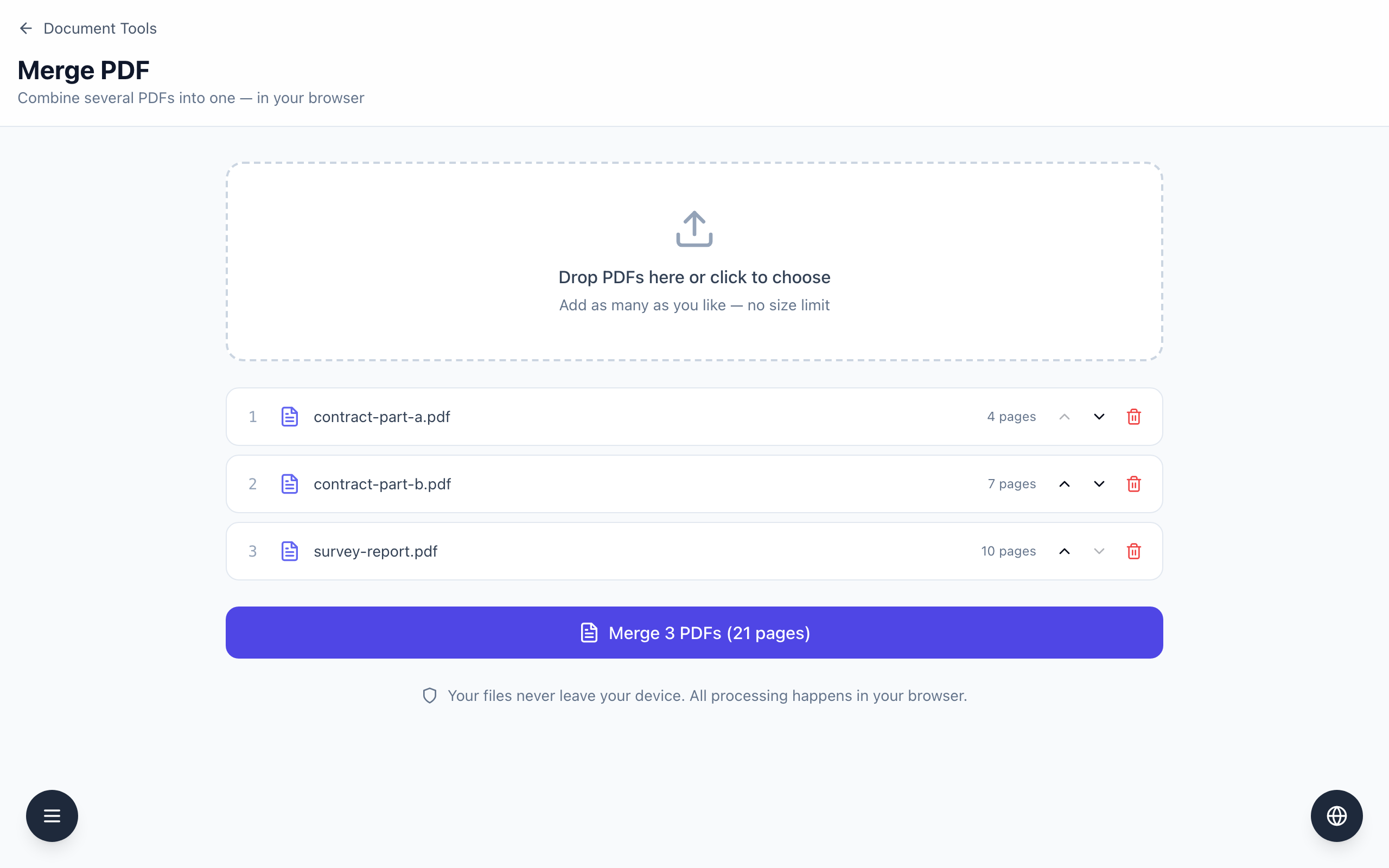
The total updates as you add or remove rows. In the test, adding survey-report.pdf (10 pages) changed the button to Merge 3 PDFs (21 pages). If your expected total is 11, a total of 21 tells you an extra file is in the list, and the red bin at the end of its row removes it.
A matching count does not prove the content is right. The count cannot tell you whether the order is correct or whether a page was a scan of the wrong document, so open the first and last page of each part. Keep a note of the file names and order if the merge may need to be repeated, and keep the originals until you have checked the result.
If it doesn't work
- If a row shows a different page count than your viewer does, open that file on its own and check which one is right before merging.
- If a file does not appear, only names ending in .pdf are accepted. A file that cannot be read shows One of the files could not be opened as a PDF.
- If the button is greyed out, add at least two PDFs.
- If the merged count is not the total on the button, merge again and compare; if it still differs, do not use the result and check the source files.