Merging Large PDFs in a Browser: Practical Checks
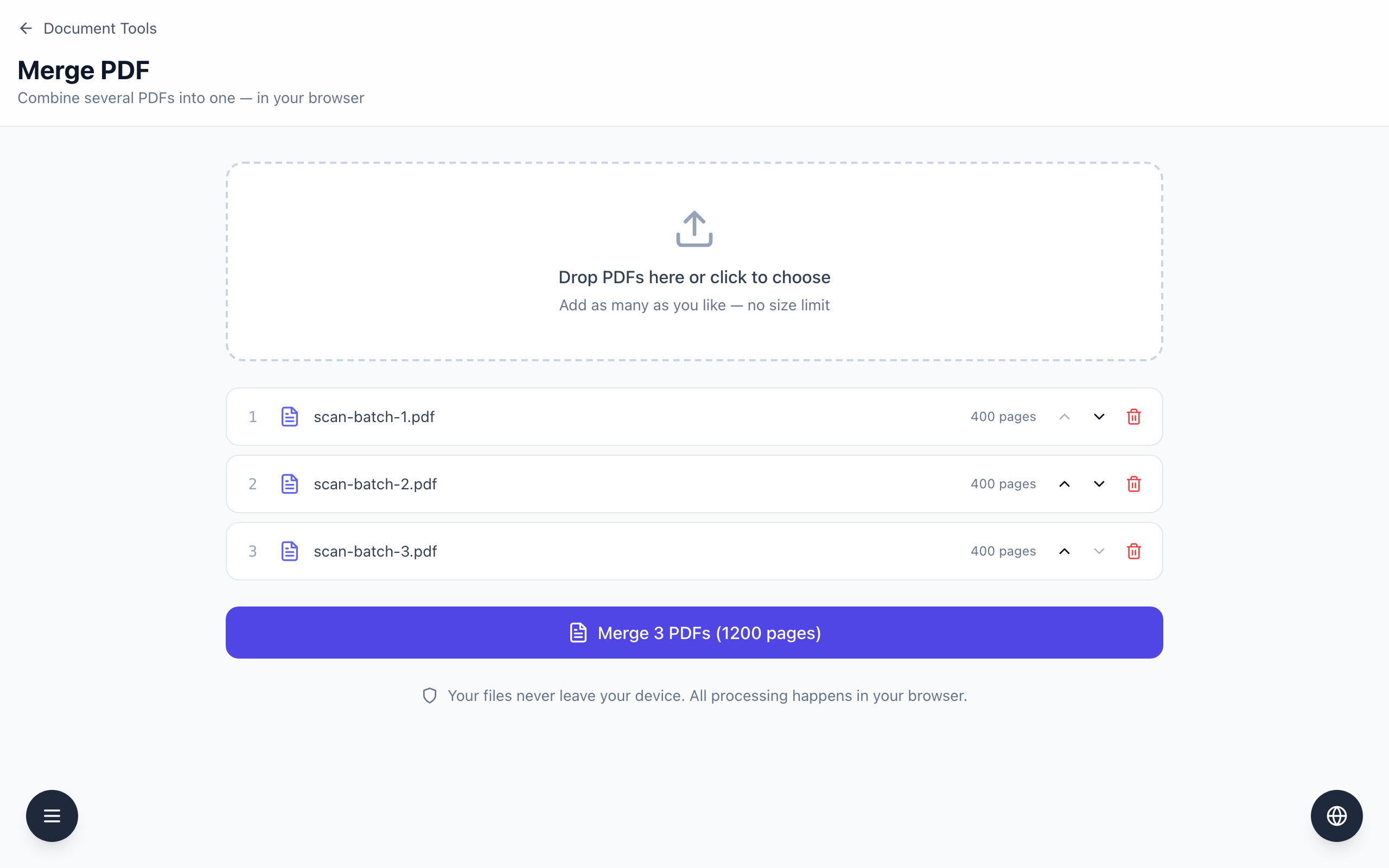
Merge PDF works on your device and has no stated size limit, but a very big batch still depends on your browser's memory. Check the page total on the button, merge a smaller group first if you are unsure, and open the result before you delete anything.
Merge a big batch step by step
- Open Merge PDF and choose your files. The example is three generated text PDFs,
scan-batch-1.pdftoscan-batch-3.pdf, each with 400 pages and about 0.4 MB. - Check the rows. Each shows a page count, such as 400 pages. The button reads Merge 3 PDFs (1200 pages).
- Click the button once and wait. While it works the button text changes to Merging.... Keep the tab open until
merged.pdfdownloads. - Open
merged.pdf. In the test it had 1,200 pages: Batch 1 page 1 first, Batch 1 page 400 at position 400, Batch 2 page 1 at position 401 and Batch 3 page 400 last. - Only then archive or delete the originals, if your rules allow it.
What was and was not tested
In this test on a desktop computer with a current Chromium browser, the three files merged in under a second and produced a file of about 1.3 MB. Those files are plain text pages, so they are small. I did not test files of hundreds of megabytes or scans full of photos, and a phone or an older computer may behave differently.
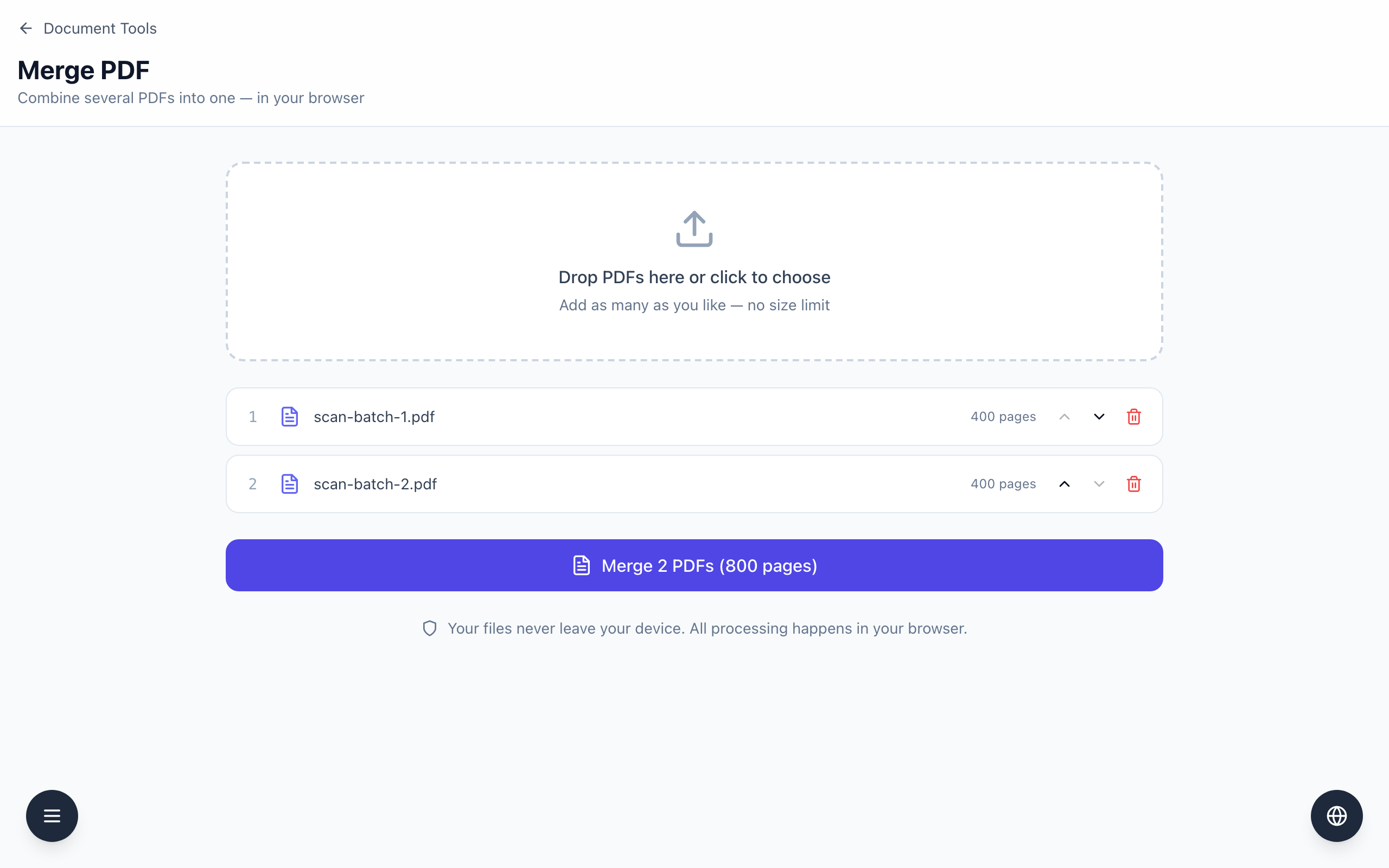
If a merge stalls on a big batch, close other heavy tabs and try a smaller group, as in the second screenshot where two of the files give Merge 2 PDFs (800 pages). Merging in smaller groups and then merging the results is one way to find a damaged file. The tool copies pages as they are and does not re-compress them, so the merged file is roughly the size of its parts added together.
If it doesn't work
- If the page shows The files could not be merged., one of the files may be damaged or protected. Merge a smaller group to find it.
- If the download never starts or the tab becomes unresponsive, close other tabs, reload the page and use a smaller group.
- If your organization does not allow confidential files in a browser tool, use the desktop software it approves. The tool states that files stay on your device.