JSON Single Quotes: Why a Valid-Looking Object Fails
JSON requires double quotes (") around every key and every text value. {'name':'Owen'} looks like JSON, and is valid in JavaScript or Python, but a JSON parser rejects it. Change the quotes that wrap keys and values to double quotes and it works.
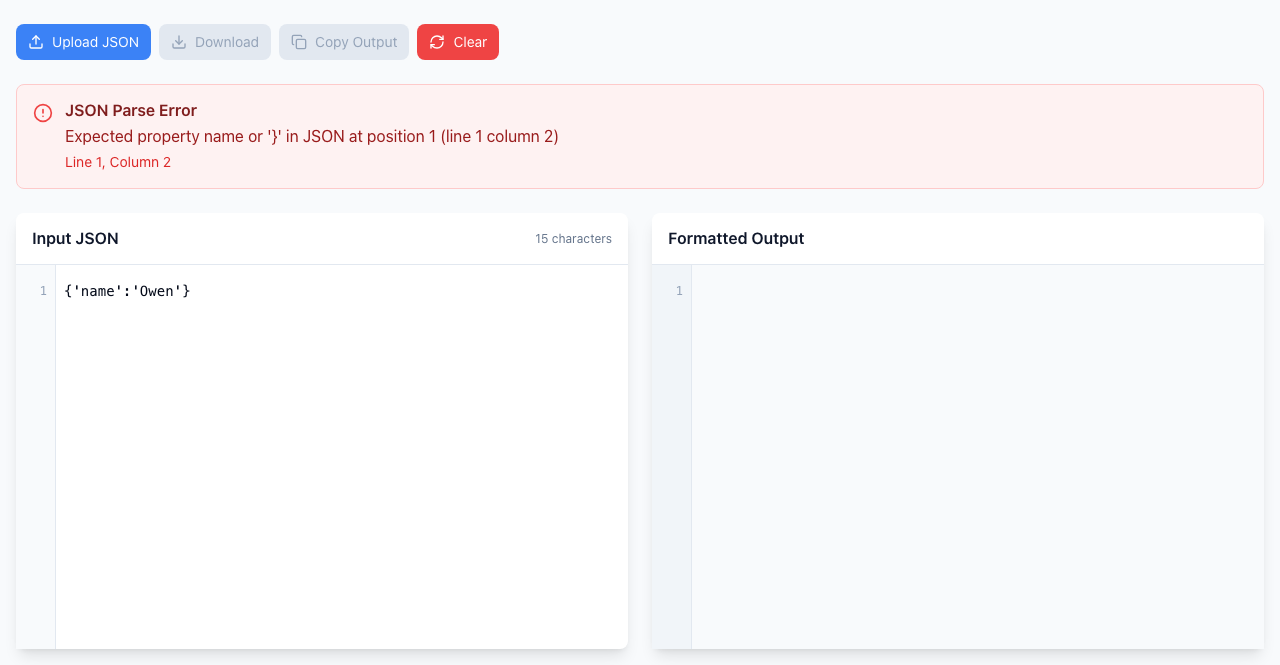
See the error, then fix it
- Paste this into Input JSON:
{'name':'Owen'} - The JSON Parse Error box says
Expected property name or '}'and Line 1, Column 2. Column 2 is the first': the parser wanted a double-quoted name there. - Replace each quote that wraps a key or a value with
", giving{"name":"Owen"}. The error disappears and Formatted Output shows the object on three lines.
The same error can come from a Python print() of a dictionary or a JavaScript object copied from a console, which use single quotes by default.
An apostrophe inside a value is fine
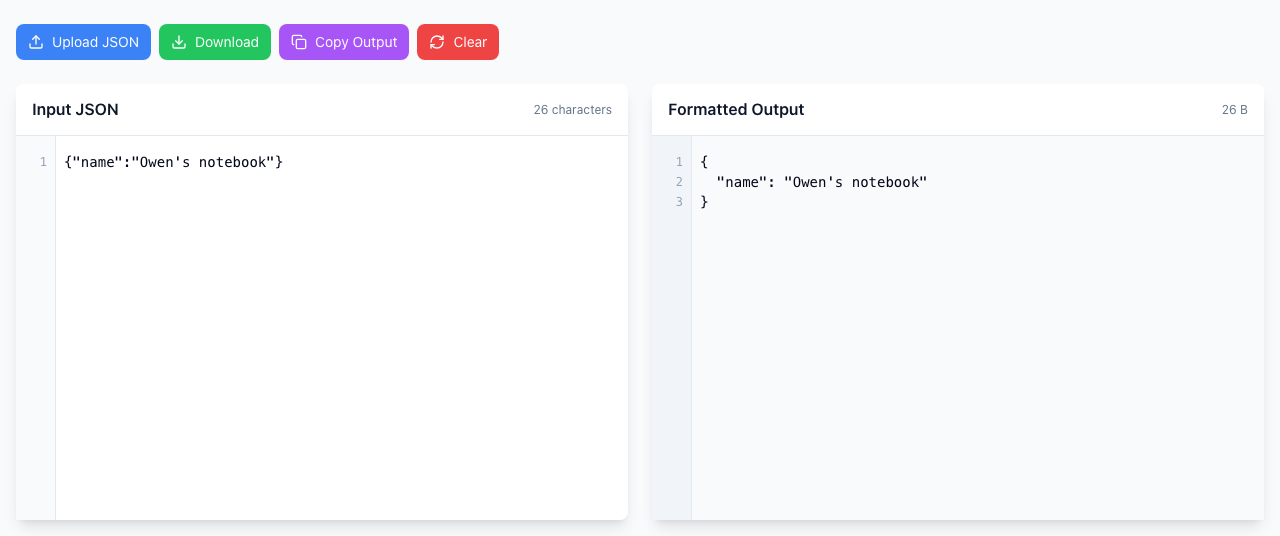
Don't replace every ' you see. In {"name":"Owen's notebook"} the double quotes already wrap the text, so the apostrophe inside is just a character. Only change the quotes that mark where a key or value starts and ends.
A double quote inside a value needs a backslash
To put a double quote inside text, write \". For example {"label":"Say \"hello\""} is valid and the formatter shows it unchanged. If you copied JSON out of source code, check the raw text: code often adds its own backslashes, and one extra layer of them makes the JSON invalid.
If it doesn't work
- The error moved to a later column: the first quotes are fixed, and the next problem is further along. Repeat until the box disappears.
- The whole thing shows up as one long quoted string: if your text is wrapped in extra quotes with backslashes, such as
"{\"a\":1}", the formatter treats it as one string and does not expand it. Paste the inner JSON without the outer quotes and backslashes. - Text uses curly quotes (“ ”): these come from word processors and are not JSON quotes. Retype them as straight
"quotes. - Many single-quoted lines: a find-and-replace for
'is risky if values contain apostrophes. Check those values afterwards.
Your JSON is checked in your browser and is not uploaded. Open the free JSON Formatter.