When Should You Ignore Whitespace in a Text Diff?
Turn on Ignore Whitespace when two copies differ only in spacing, such as double spaces or indentation from a paste. In TheDailyUtils it treats any run of spaces or tabs inside a line as one space and ignores spaces at the start and end of each line. It does not join lines that were wrapped differently, and it does not ignore a space that is missing entirely.
Try it with this sample
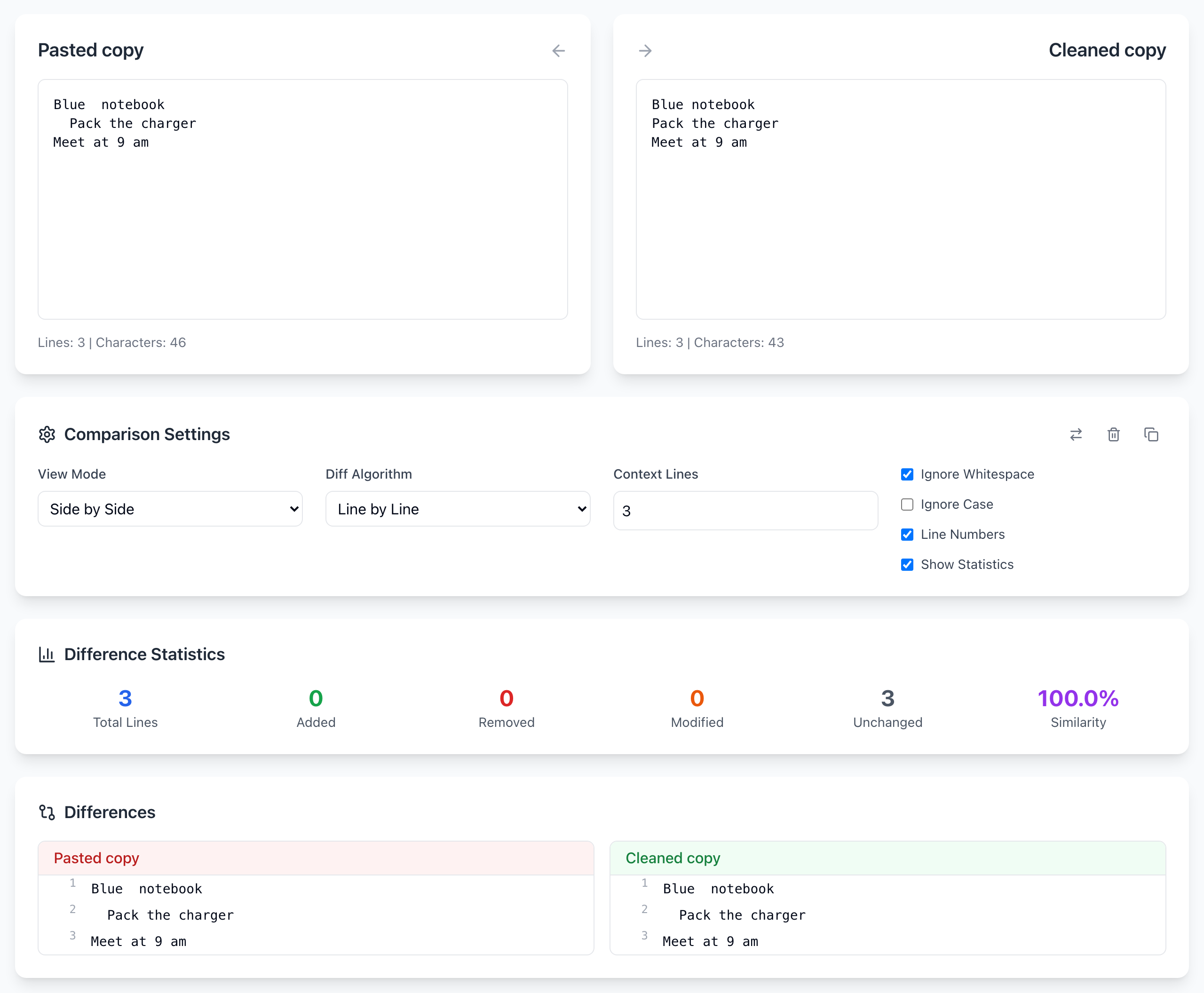
The left copy has two spaces in “Blue notebook” and two spaces before “Pack”. The right copy is clean.
Blue  notebook
  Pack the charger
Meet at 9 am
Blue notebook
Pack the charger
Meet at 9 am
- Paste the first block into the left box and the second into the right box.
- With Ignore Whitespace unticked, the statistics show Added 2, Removed 2, Unchanged 1: the two lines with extra spaces are flagged.
- Tick Ignore Whitespace. The result changes to Unchanged 3 and 100.0% similarity.
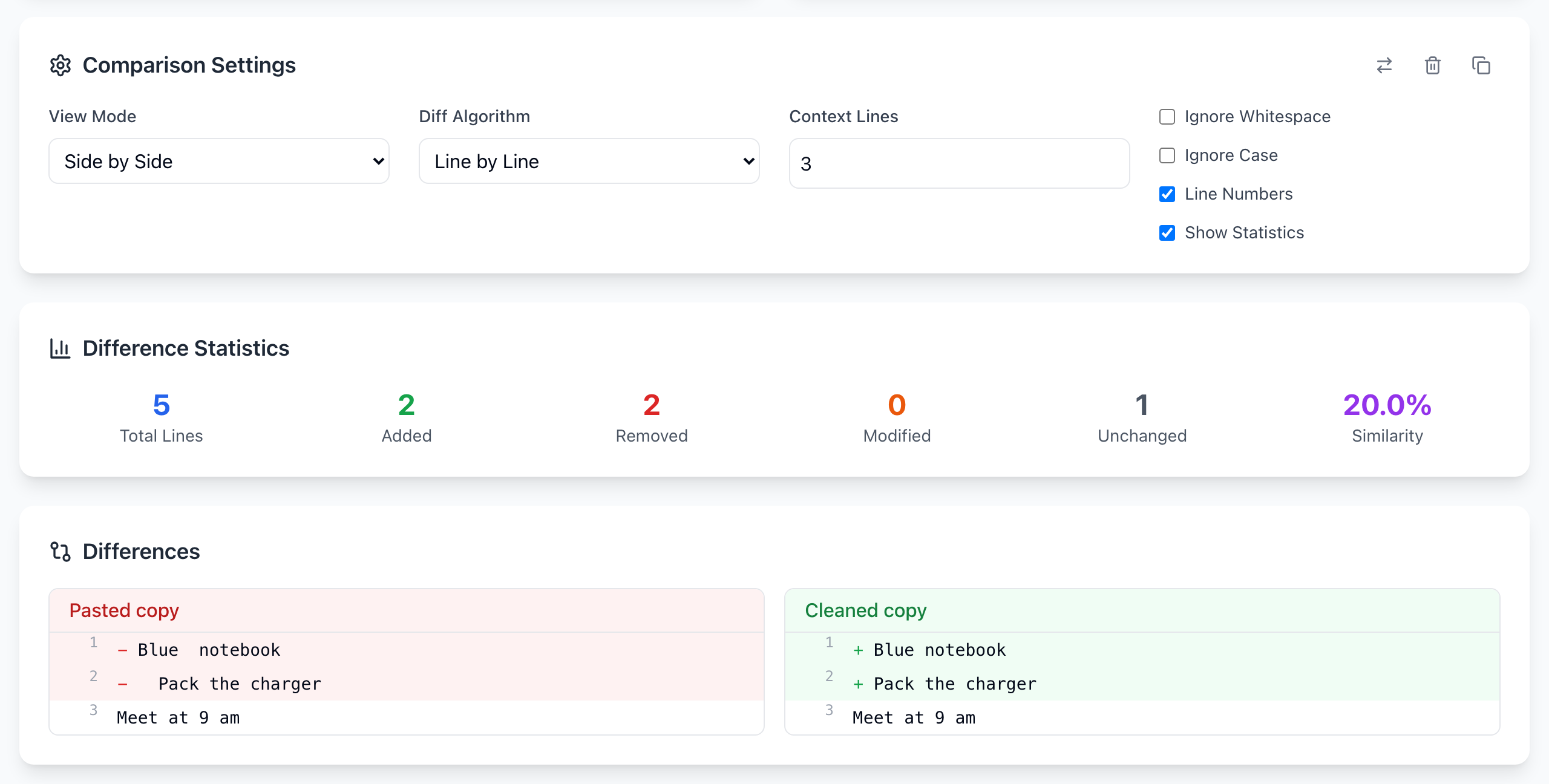
Unchanged rows show the left text on both sides, so you may still see the double space in the result. That is expected; the setting only changes what counts as a difference.
What it still flags
- A missing space:
Meet at 9 amvsMeet at 9amis still a change. Runs of spaces become one space; they don’t disappear. - Different line wrapping: a sentence split over two lines (common when copying from a PDF or email) is still two removed lines and one added line. Switch Diff Algorithm to Word by Word instead: it compares words and ignores where the lines break, so the same sentence wrapped differently shows 100% similarity.
- Blank lines: an extra empty line still shows as added or removed.
When to leave it off
Spacing is sometimes the content. Keep Ignore Whitespace off for Python or YAML, where indentation changes meaning; for plain-text tables aligned with spaces; and for text inside quotes in code. A good habit for important edits is two passes: first with Ignore Whitespace on to read the wording changes, then with it off to see what spacing changed.
Ignore Case is a separate setting. Capitalizing a name and re-indenting a line are different edits, so turn on only the one you mean.
If it doesn't work
- Lines still flagged with the box ticked: look for a missing space, a different line break, or a look-alike character such as a curly quote.
- Two lines look identical but are flagged: one may have a trailing space or tab. Tick Ignore Whitespace to confirm.
- You need proof two files are byte-for-byte identical: a visual diff is not that check. Compare a checksum of the actual files.
The comparison runs in your browser and the text is not uploaded. The tool does keep your last 20 comparisons in this browser’s History panel; click the trash icon there after comparing anything private. Open the free Text Diff tool.