Prepare a Wide Banner Crop From a Portrait Image
Click 16:9, then drag a wide frame across the part of the portrait photo you want to keep. A portrait image has to lose its top and bottom to become a wide banner, so you choose which strip survives. The cropped banner keeps the original pixels: an 800 px wide photo gives a banner at most 800 px wide.
Cut a wide banner from a tall photo
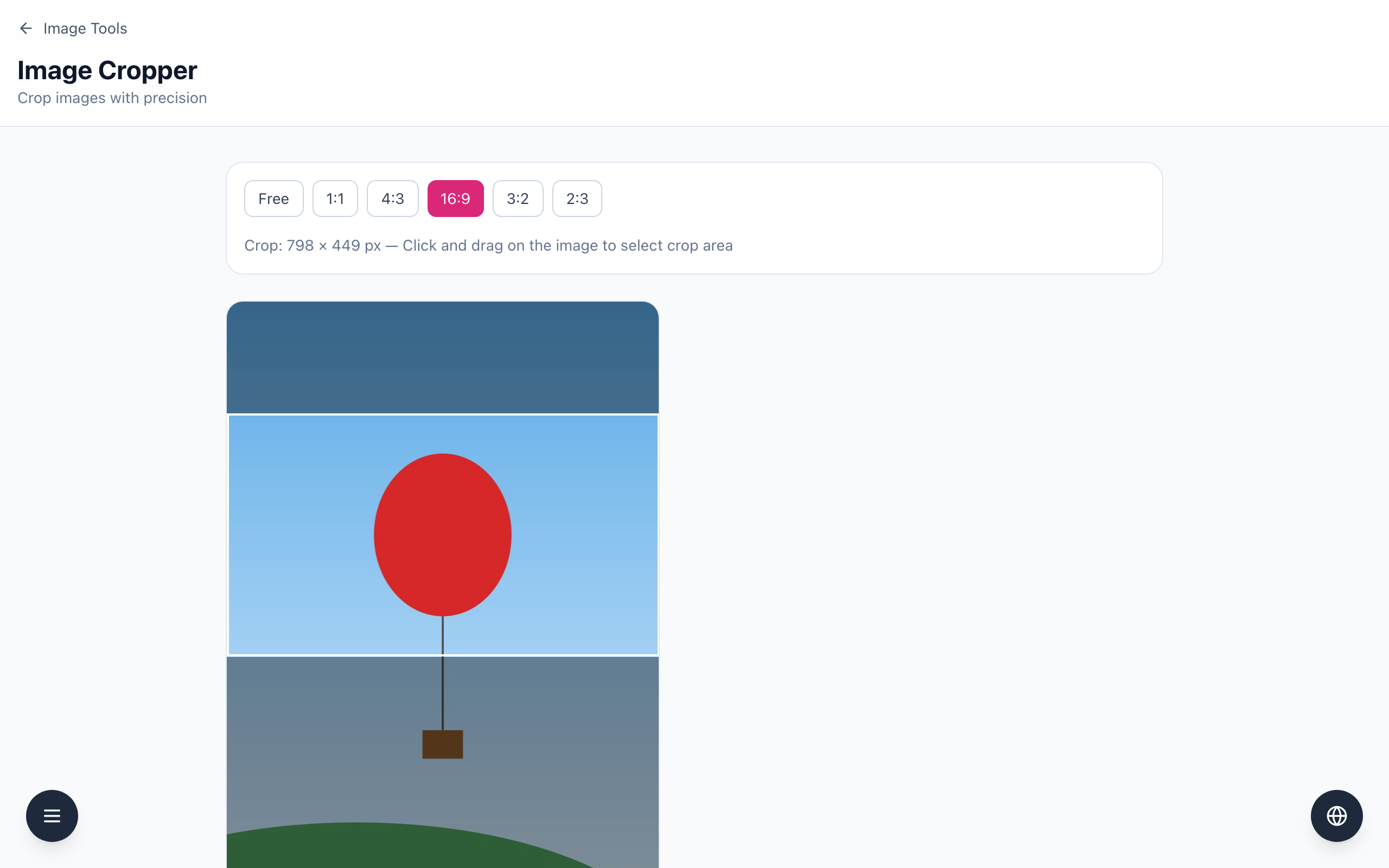
- Open the Image Cropper and drop in the portrait photo. The example is an 800 × 1200 image with a red balloon in the upper middle.
- Click the 16:9 ratio button (others: Free, 1:1, 4:3, 3:2, 2:3).
- Click on the image at the left edge, just above the subject, and drag to the right edge. The white frame follows a 16:9 shape and the label reads Crop: 798 × 449 px. The height is calculated from the width, so start high enough that the whole frame stays inside the image.
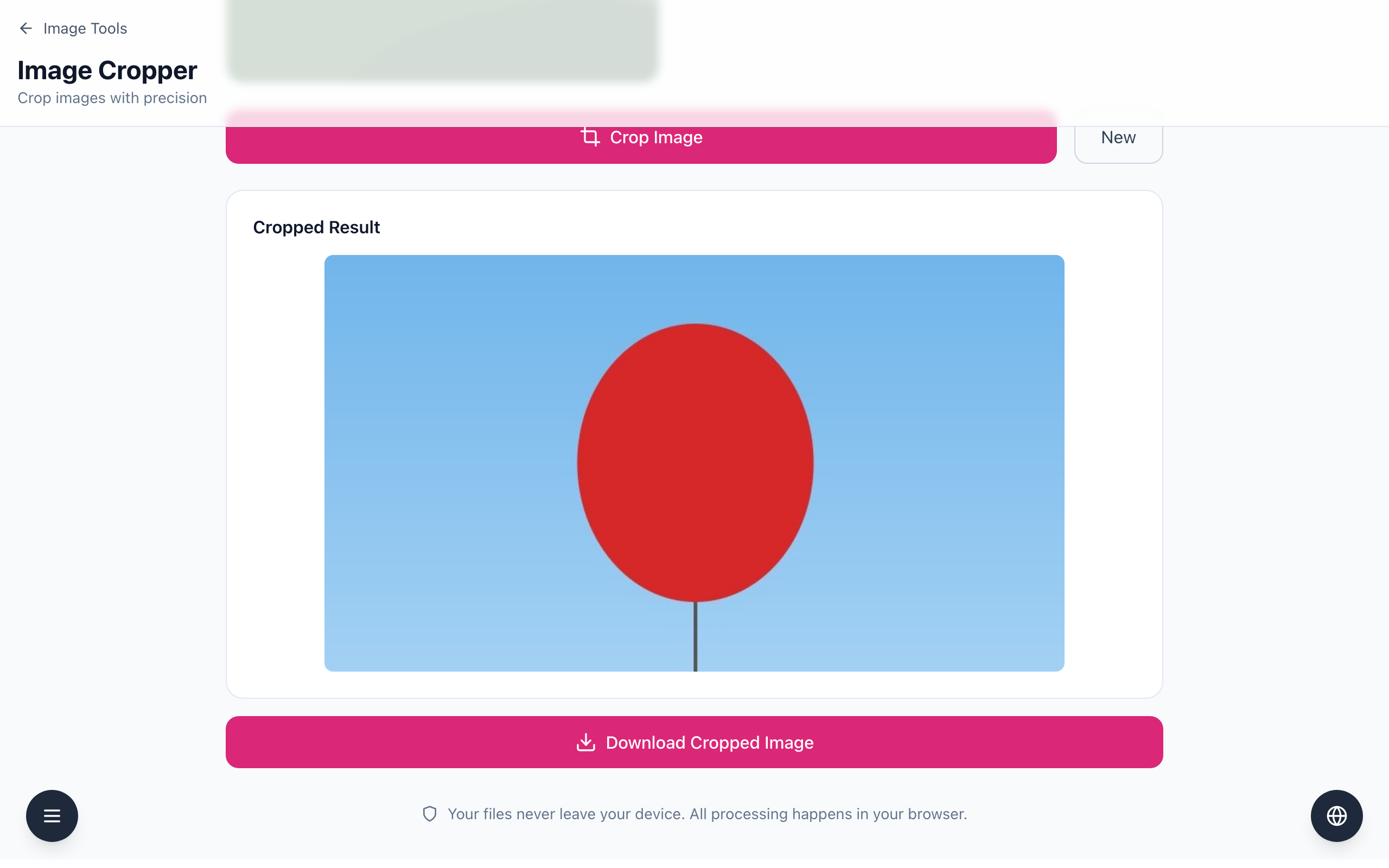
- Click Crop Image. Check the Cropped Result: the balloon should sit fully inside the banner. If it is clipped, drag a new frame.
- Click Download Cropped Image. The file is named
cropped_plus the original file name.
The frame cannot be moved or resized once it is drawn; to adjust, drag a new one. The crop is made at the source's pixel size, so a banner that must be 1600 px wide needs a source at least that wide. Enlarging a smaller crop later in the Image Resizer does not add detail. Text that sits near the top or bottom edge of the photo will be cut off, so check the result before you use it. The tool has no mobile preview: look at the banner in the place you upload it, on both desktop and phone layouts, because some sites crop banners again.
If it doesn't work
- If the frame is not wide, click 16:9 and draw it again.
- If the Cropped Result looks empty or has a blank strip, the frame ran past the image edge. Draw a new frame that stays inside.
- If the banner looks soft, the source has too few pixels. Use a larger original.